Martial arts website templates. Pick one and Cactal builds it.
18 designs for jiu-jitsu academies, MMA and boxing gyms, family karate and taekwondo schools, and traditional dojos. Choose one and Cactal turns it into your school's website, with your programs, schedule, instructors and a trial class form, linked to the booking tool you already use.
Martial arts website designs

A serif headline and a black-and-white photo of students on the mat give a fight school a calm, trusted feel.

A heavy two-line promise over a coached sparring photo, with an intro class button and a proof strip below.
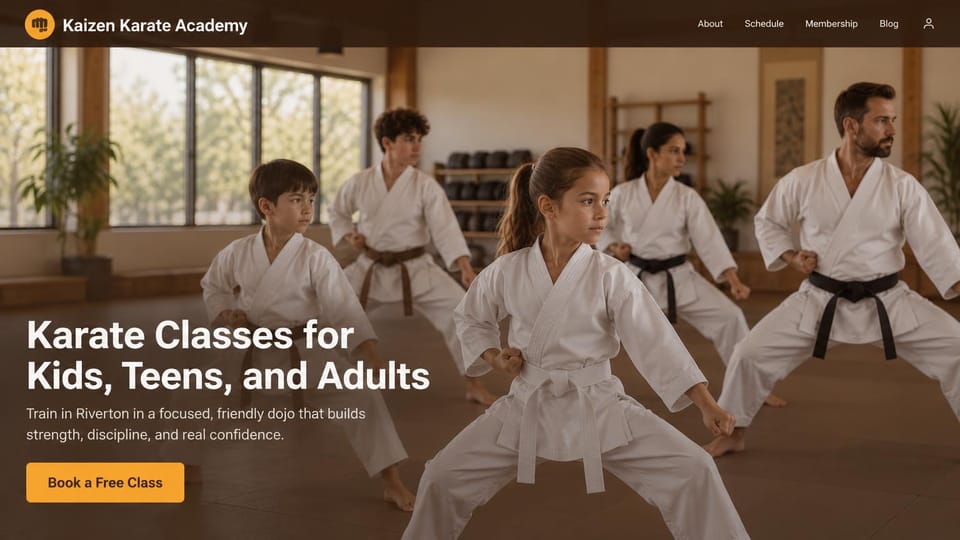
A full-width class photo and a headline naming every age group, with one bright free class button.

Speaks to first-timers in the headline, then links experienced students and parents to their own pages.

A smiling family photo and a serif headline written to parents make a first trial class feel safe.

A bold headline under the address, a call button beside the free trial and a stats row along the bottom.
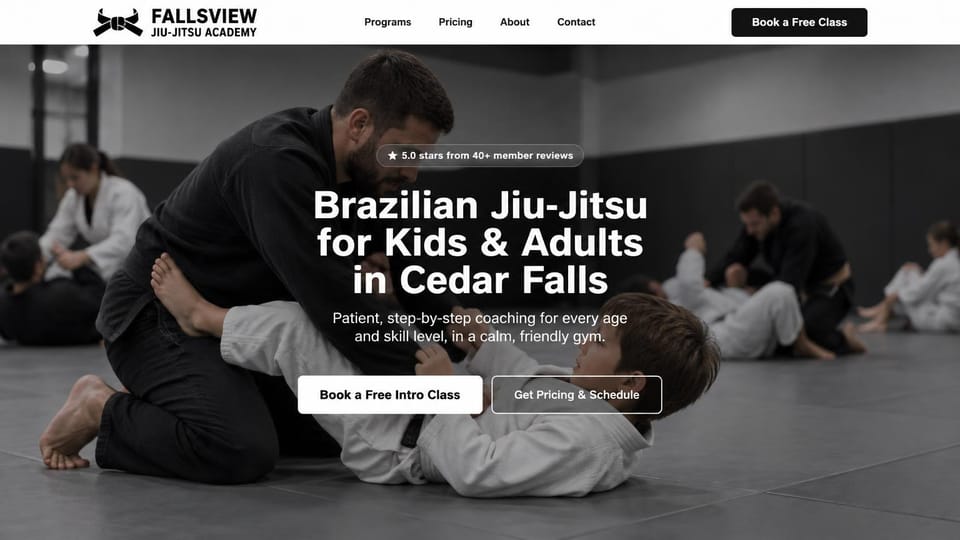
A coach drilling with a young student under a headline that names the town, with a free intro class first.

A three-line promise and a framed class photo welcome every age, with the free class button in gold.

The school's name as the headline beside a coached roll, with a strip of programs and ages along the bottom.

A serif headline naming the neighborhood, a call button beside the free class and a strip of areas served.
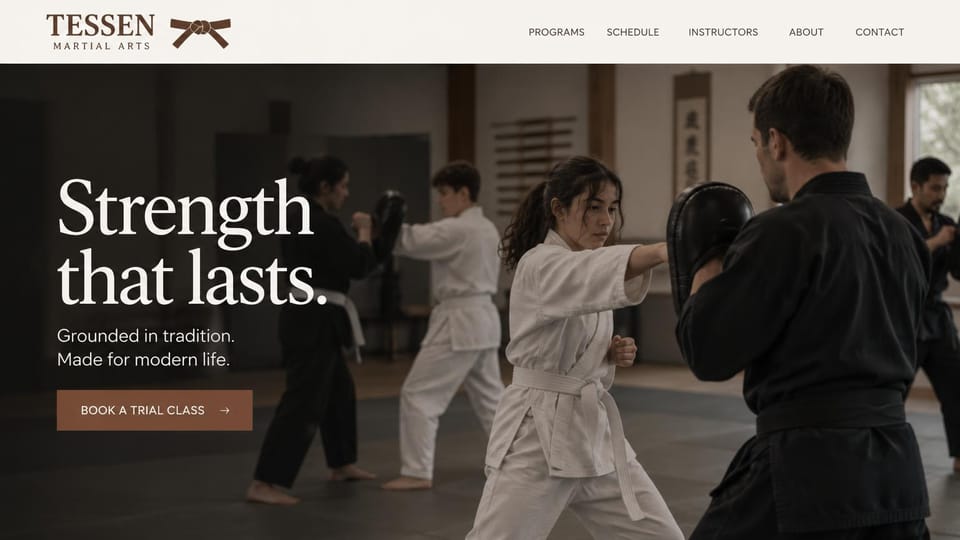
An oversized two-line promise over a pad drill photo, for a school that sells tradition as much as fitness.

Students bowing to their teacher in a wooden dojo set a respectful tone, with a free class and the schedule.
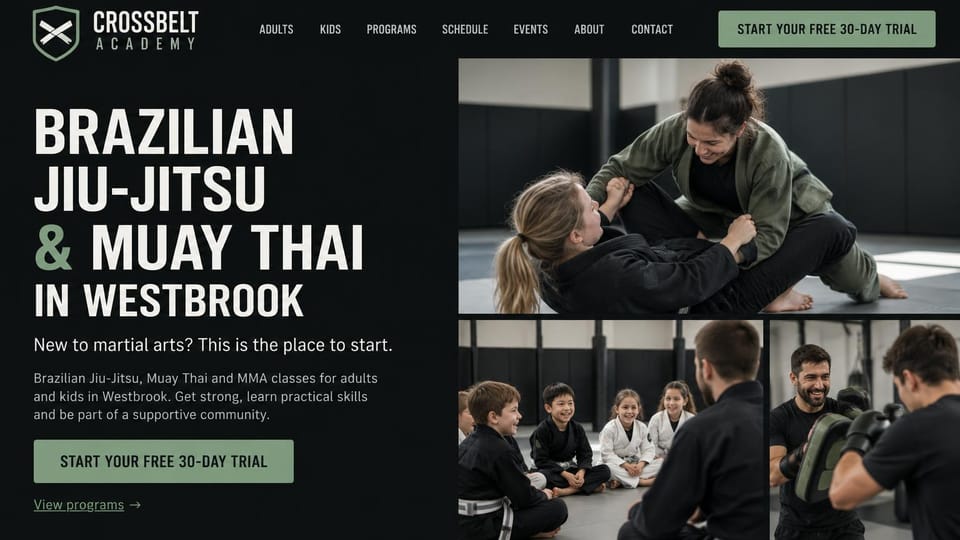
Stacked bold type beside a grid of grappling, kids class and pad work photos shows every program at once.
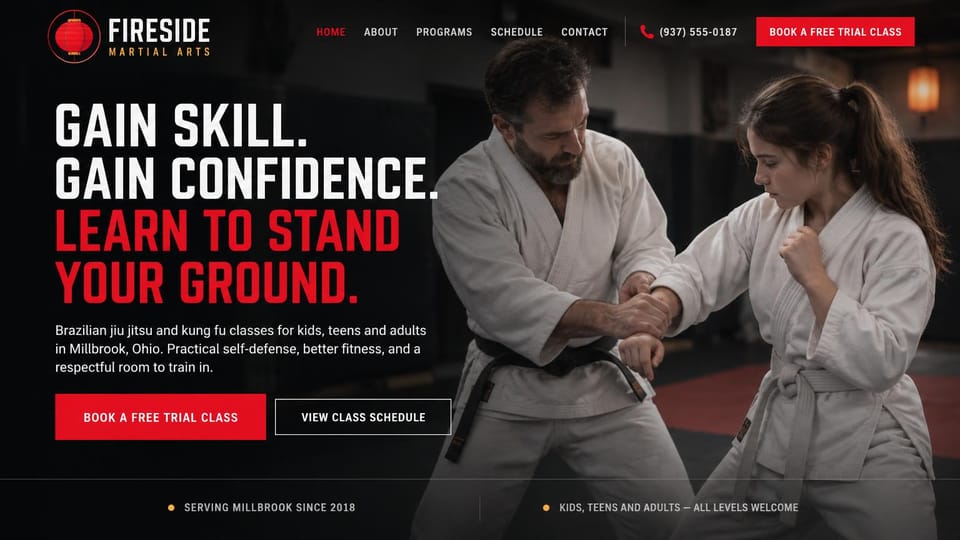
A four-line promise in white and red beside a technique photo, with trial and schedule buttons side by side.

A tall condensed headline over a black-and-white roll, with a cyan line introducing the head instructor.
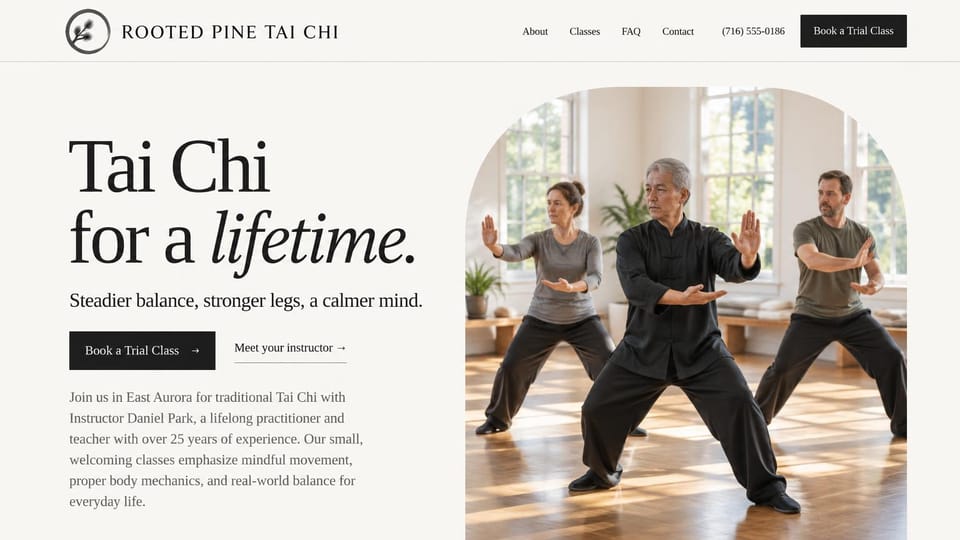
An oversized serif headline and an arched photo of a small class suit a gentle practice open to every age.

A belt emblem, one centered headline and a schedule button on solid navy, for a dojo without photos yet.
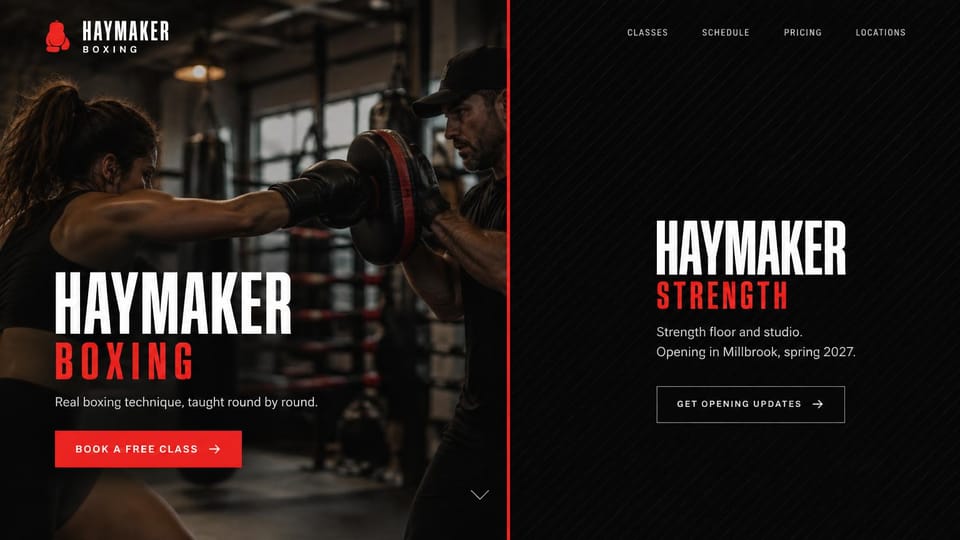
Splits the first screen between the gym and a second studio, for owners announcing a new space or brand.
Every design is an illustration by Cactal. The schools, people and photos in them are fictional. Updated October 2026.
Describe your school
What you teach, who your classes are for and how new students can try one. Cactal writes the pages, links your booking tool, sets up your trial class form and publishes the site.
How it works
1 Pick a design
Browse by discipline and open any design to see it full size.
2 Add your school's details
Your programs, instructors, schedule, location and the booking tool you use. Cactal writes every page and builds the site from your design.
3 Publish
Ask for changes in plain words until it's right, then publish free on a Cactal domain, or on your own domain with Pro.
What a martial arts website needs
A free trial class up front
Most new students start with a trial. Put the offer and one clear button in the header and the first screen, linked to your booking tool or a short request form.
Programs by age and discipline
Parents look for kids classes, while adults look for fitness, self-defense or competition. Give each program its own page with ages, class times and what students learn.
A schedule that's easy to find
Students check class times every week. Keep the timetable one tap from any page, and update it yourself or embed it from the booking tool you already use.
Instructors with rank and background
Show each coach's photo, belt rank, lineage and teaching experience in plain words. It builds trust before anyone steps on the mat.
A first class page for beginners
Most beginners worry about fitness, injury and fitting in. Explain what to wear, what happens in a first class and that no experience is needed.
Clear membership pricing
List membership options, family rates and contract terms, or say plainly how pricing works. Link sign-ups to the member tool you already use.
Questions
Are these martial arts website templates free?
Every design here is free to start from. You can sign up, build and publish on a Cactal domain without a card and with no time limit. Putting your site on a domain you own is $25 a month on Pro, or $240 a year.
Do I need to know how to code or design?
No. Describe your school in plain words and Cactal builds, edits and publishes the site. When you want a change, ask for it the same way.
How much does a martial arts website cost?
A custom build from a web designer often runs into the thousands of dollars and takes weeks. A builder template costs less, but you still write and fill in every page. With Cactal it's free to build and publish on a Cactal address, and your own domain is $25 a month on Pro, or $240 a year, with no setup fee.
Can I use my own domain?
Yes. Every site starts on a free Cactal address. Connect a domain you own on Pro for $25 a month, or $240 a year, and each additional website on its own domain is $20 a month.
Who owns the website?
You do. Every Cactal site is real React source code, so you can take it and run it anywhere. There is no export to buy.
Are these real martial arts schools?
No. Each design is an illustration made by Cactal, and the school names, instructors, prices and photos in it are fictional. Your site is built around your own school.
Can new students book a trial class on my site?
Cactal doesn't include booking, scheduling, payments or memberships. Your site can link to or embed the booking tool you already use, or take trial class requests through a form that Cactal sets up with spam filtering and email notifications.
Can I show separate programs for kids and adults?
Yes. Give each program its own page with ages, class times and what students learn. Update programs and schedules yourself in the built-in CMS, or ask Cactal in plain words.
More website templates
- Gym and fitness website templates
- Sports team and club website templates
- Personal trainer website templates
- Yoga studio website templates
- Dance studio website templates
- Medical practice and clinic website templates
- Hair salon website templates
- Therapist website templates and designs
- Spa and wellness website templates

Your martial arts website, built for you.
Pick a design or just describe your school. Free to start, no card needed.
Start building