Art gallery website templates. Pick one and Cactal builds it.
14 designs for galleries, exhibition spaces and artist-run spaces, from contemporary painting and ceramics to prints, photography and public museums. Choose one and Cactal turns it into your gallery's website, with your exhibitions, artists, opening hours and an inquiry form for sales.
Art gallery website designs
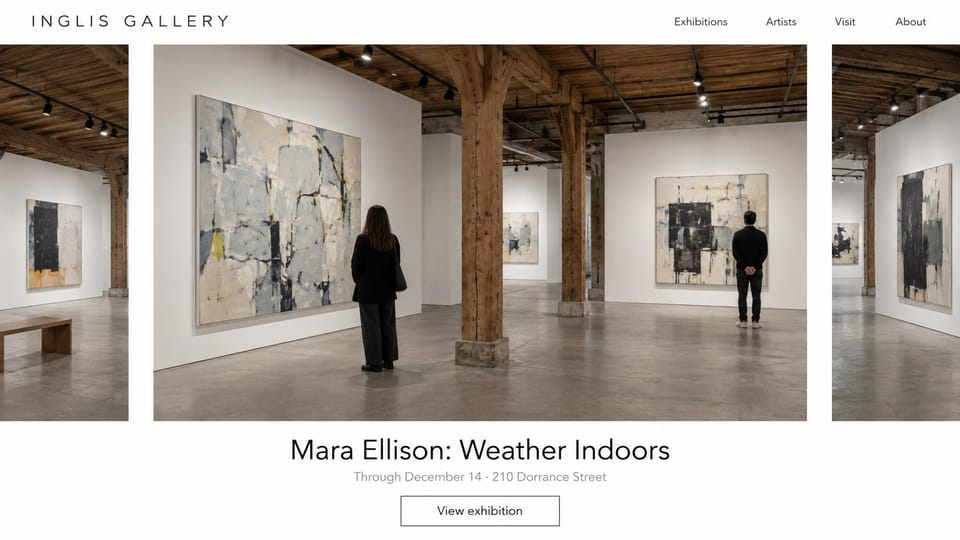
A carousel of installation shots puts visitors in the room, with the current show and one button below.
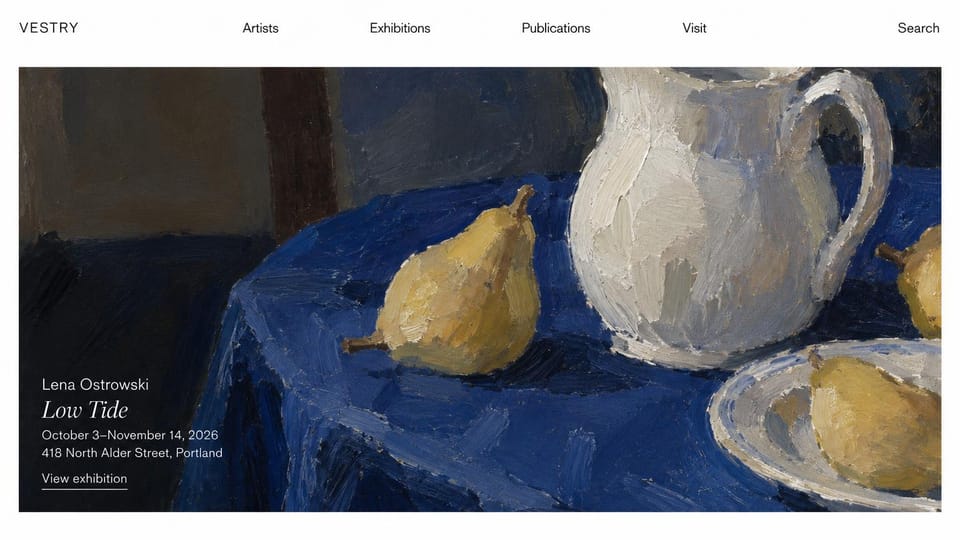
One painting fills the screen, with the artist, show title, dates and address set quietly in its corner.
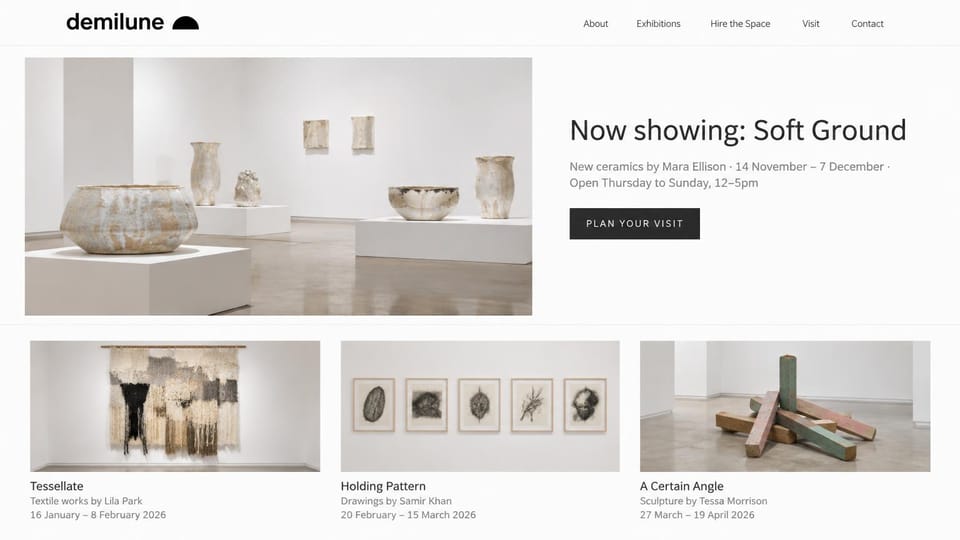
Pairs the current show and hours with cards for the next exhibitions, plus a page for hiring the space.
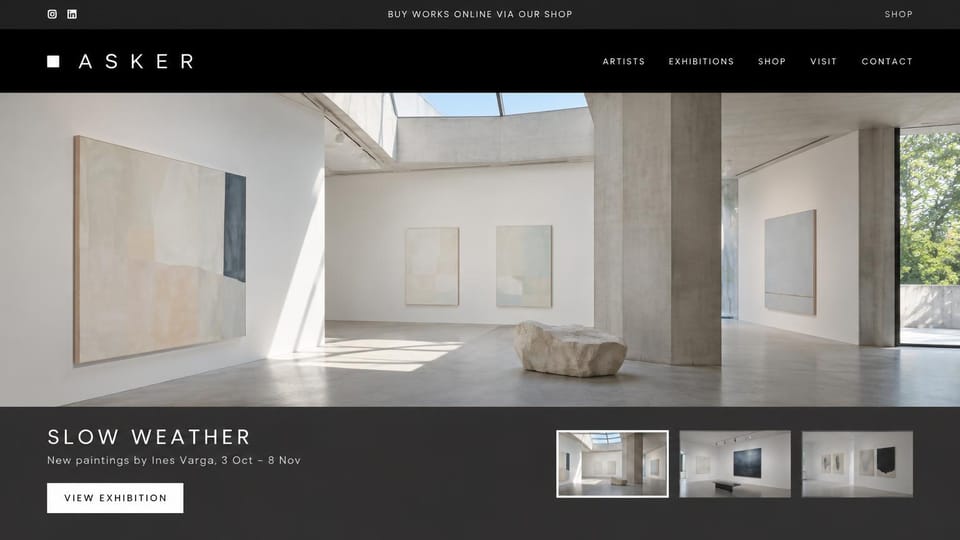
A shop link sits in the top bar and the menu, beside a sunlit room view and thumbnails of the current show.
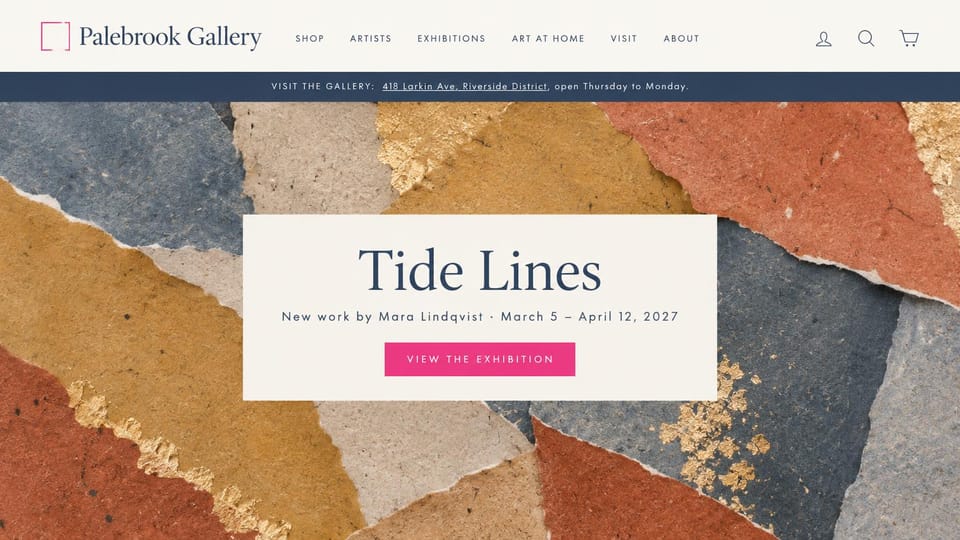
A strip with the address and open days sits above a full-width artwork, and shop pages sit beside the shows.
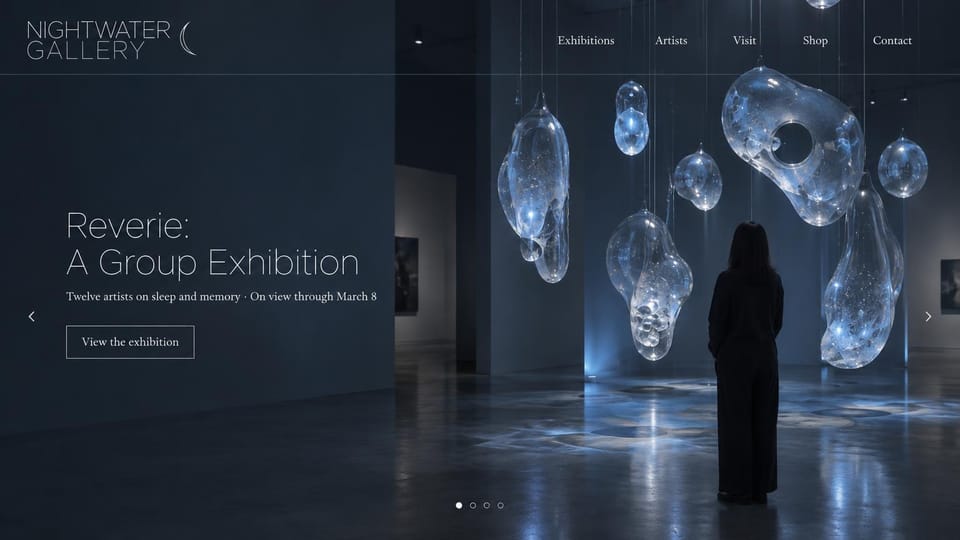
A night-dark slideshow of the installation suits immersive, light-based or sculptural shows.
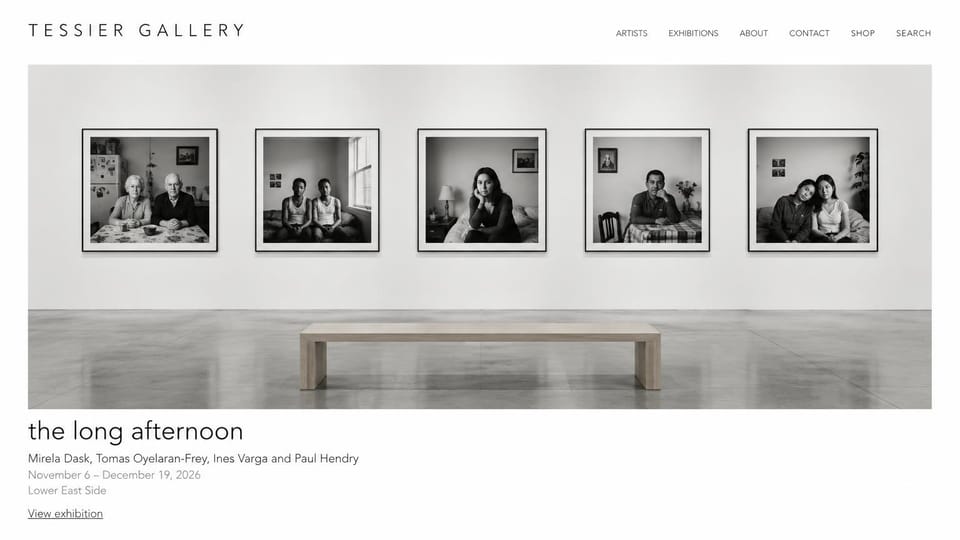
One installation view of framed prints, then the show title, artists, dates and neighborhood in small type.
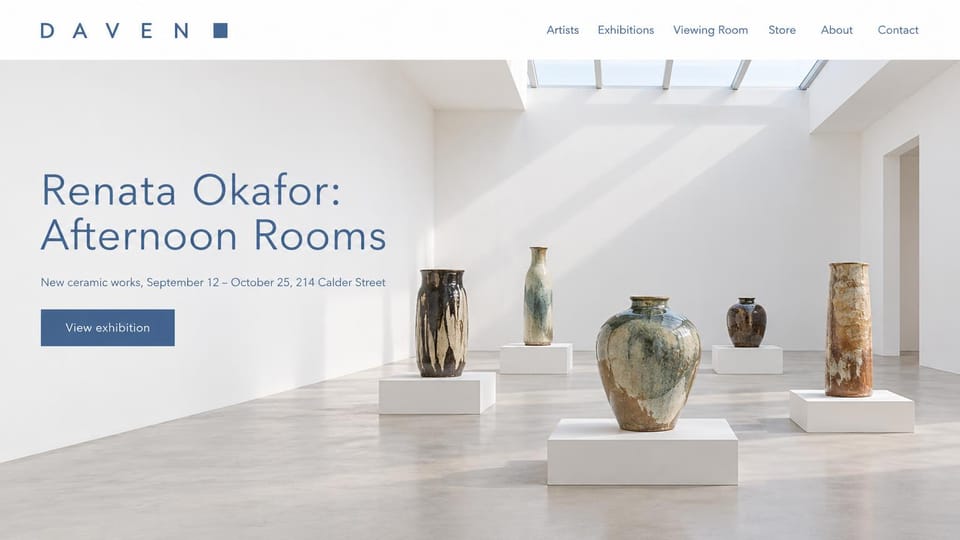
Vessels on plinths fill the frame, with the artist, show title, dates and address beside them on the left.
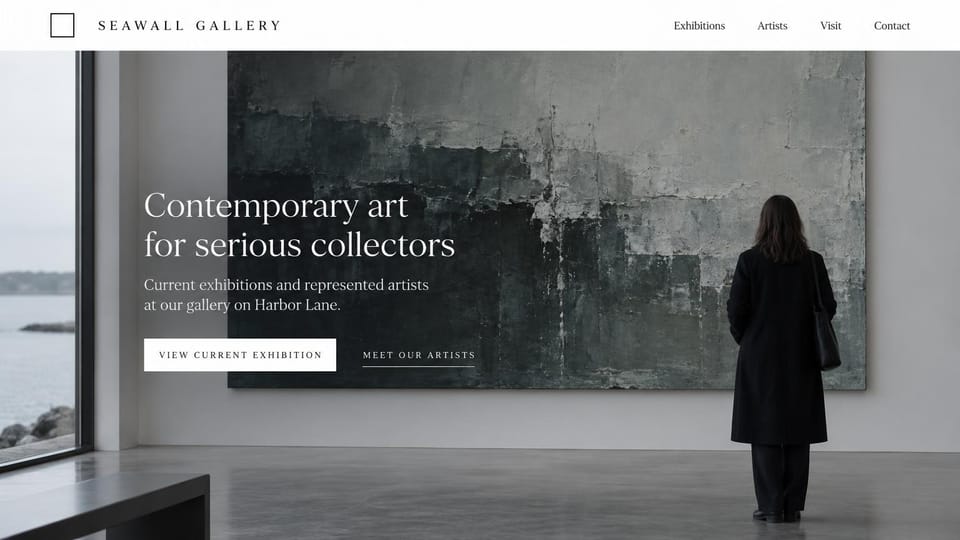
A visitor before one huge canvas sets a serious tone, with buttons for the current show and the artists.
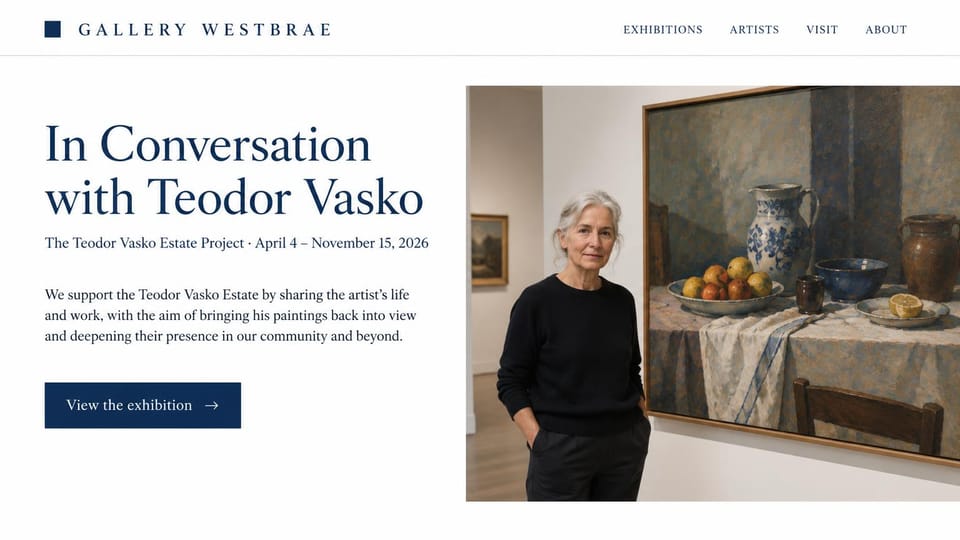
A long serif show title beside a visitor and a still life, for galleries that care for an artist's estate.
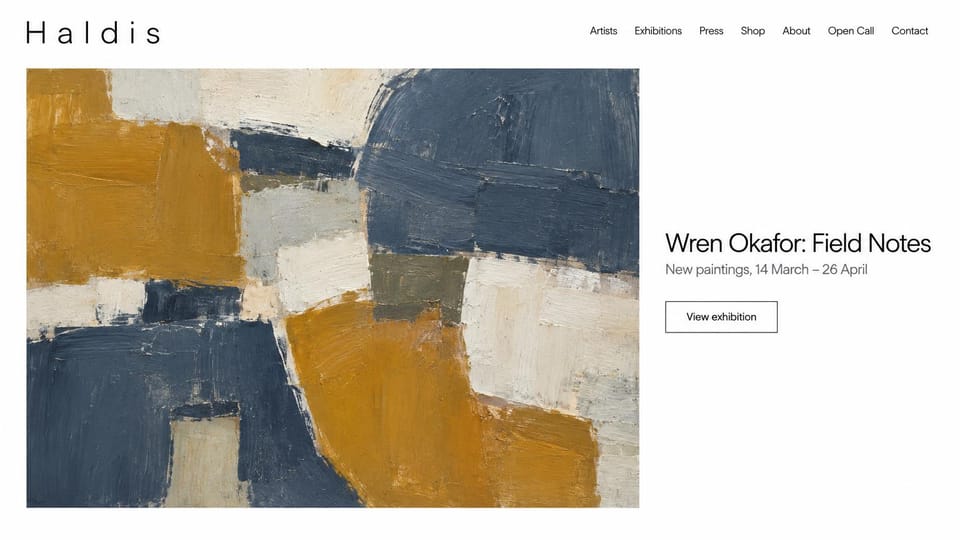
A large crop of the current painting sits beside the show title, with an open call page for artists.
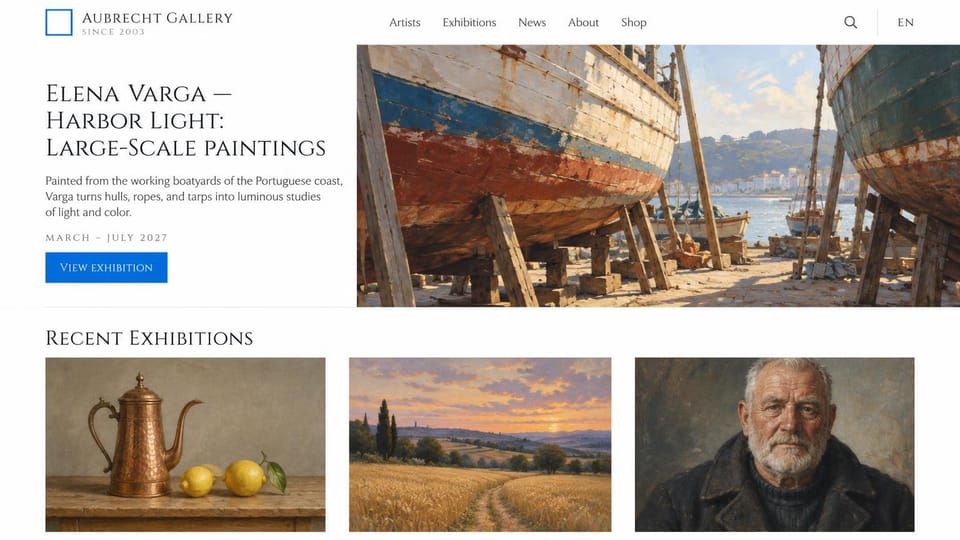
The current painting sits beside a short text about the work, with recent exhibitions in a row below.
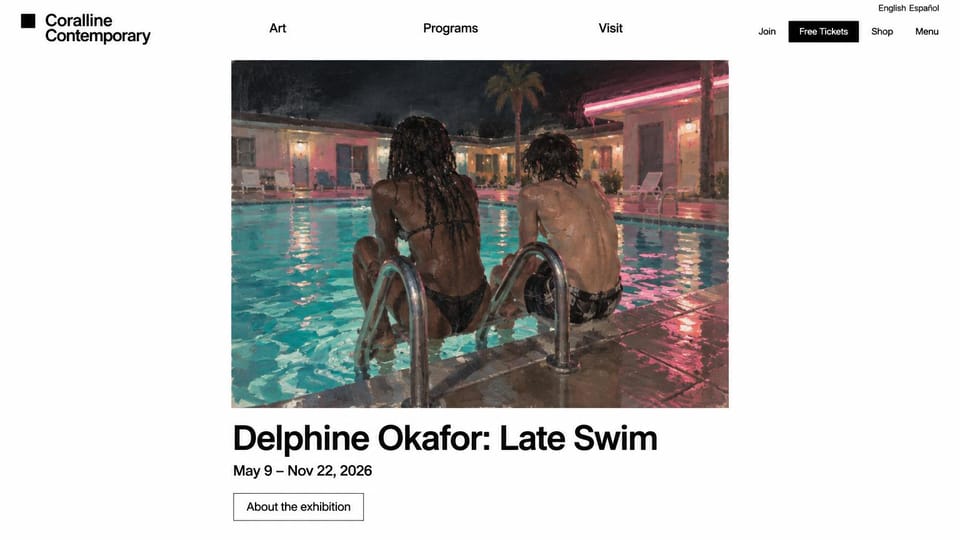
A language switch and a tickets button sit in the header, above one framed painting and the show title.
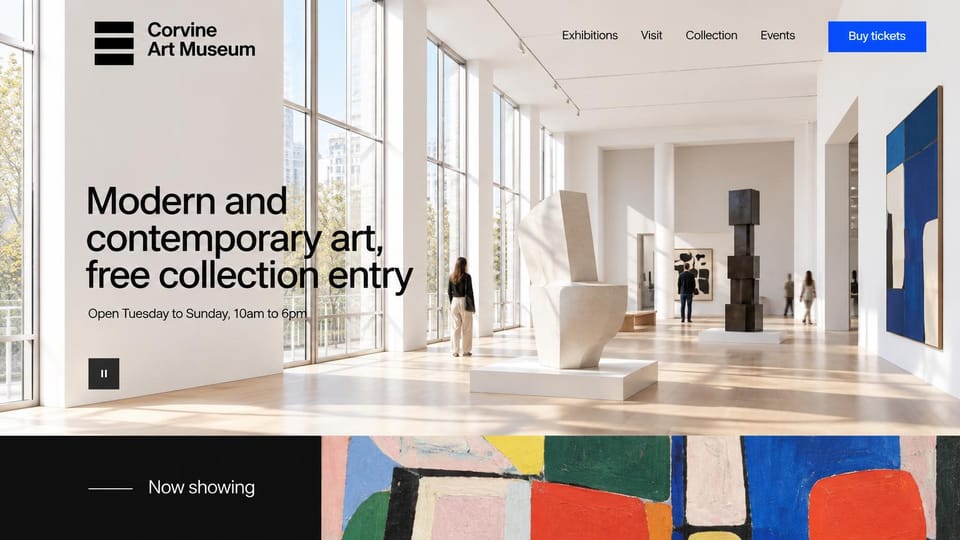
A sunlit room of sculpture and paintings, with free entry and opening days in the headline itself.
Every design is an illustration by Cactal. The galleries, artists, people and artworks in them are fictional. Updated October 2026.
Describe your gallery
What you show, where you are and how visitors and buyers should reach you. Cactal writes the pages, sets up your inquiry form and publishes the site.
How it works
1 Pick a design
Browse by what you show and open any design to see it full size.
2 Add your gallery's details
Your exhibitions, artists, opening hours and how visitors and buyers should reach you. Cactal writes every page and builds the site from your design.
3 Publish
Ask for changes in plain words until it's right, then publish free on a Cactal domain, or on your own domain with Pro.
What an art gallery website needs
What's on, before anything else
Lead with the current exhibition: its title, the artists, the dates and one strong photo of the work. It's the first thing returning visitors look for.
Visiting details at a glance
Opening days and hours, the address, whether entry is free and how accessible the space is. Keep them near the top of the homepage and in the footer of every page.
A page for every exhibition
Installation views, a short text about the show, the artists and the dates. Move past shows to an archive instead of deleting them, so artists, collectors and press can see your record.
Pages for your artists
A short bio, selected works and the shows each artist has had with you. Collectors often search for an artist's name before they ever find the gallery.
A clear way to buy or inquire
List available works with title, medium, size and price or price on request, and an inquiry form beside them. If you sell online already, link to the shop or platform you use.
Openings and a mailing list
Opening nights, talks and artist visits give people a reason to come back. A signup form or a link to the newsletter you already send turns one visit into a regular.
Questions
Are these art gallery website templates free?
Every design here is free to start from. You can sign up, build and publish on a Cactal domain without a card and with no time limit. Putting your site on a domain you own is $25 a month on Pro, or $240 a year.
Do I need to know how to code or design?
No. Describe your gallery in plain words and Cactal builds, edits and publishes the site. When you want a change, ask for it the same way.
How much does an art gallery website cost?
A custom build from a web designer often runs into the thousands of dollars and takes weeks. A builder template costs less, but you still write and fill in every page. With Cactal it's free to build and publish on a Cactal address, and your own domain is $25 a month on Pro, or $240 a year, with no setup fee.
Can I use my own domain?
Yes. Every site starts on a free Cactal address. Connect a domain you own on Pro for $25 a month, or $240 a year, and each additional website on its own domain is $20 a month.
Who owns the website?
You do. Every Cactal site is real React source code, so you can take it and run it anywhere. There is no export to buy.
Are these real art galleries?
No. Each design is an illustration made by Cactal, and the gallery names, artists, artworks, people and photos in it are fictional. Your site is built around your own gallery.
Can visitors buy art or tickets through the site?
Cactal doesn't include a shopping cart, payments or ticketing. Your site can show available works with an inquiry form for each, and link to or embed the shop or ticketing service you already use.
Can I add new exhibitions myself?
Yes. Pages and posts live in a built-in CMS, so you can add a show, change the homepage image or move an exhibition to the archive. You can also ask Cactal for the change in plain words.
More website templates
- Photography website templates
- Architecture portfolio website templates
- Interior design website templates
- Fashion and clothing website templates
- Artist website examples
- Videographer and video production website templates
- Jewelry website templates
- Portfolio website templates
- Marketing agency website templates

Your gallery's website, built for you.
Pick a design or just describe your gallery. Free to start, no card needed.
Start building