Notary website templates. Pick one and Cactal builds it.
32 designs for mobile notaries, loan signing agents, apostille services and notaries who also work online. Choose one and Cactal turns it into your website, with your services, your fees and a form for signing requests.
Notary website designs
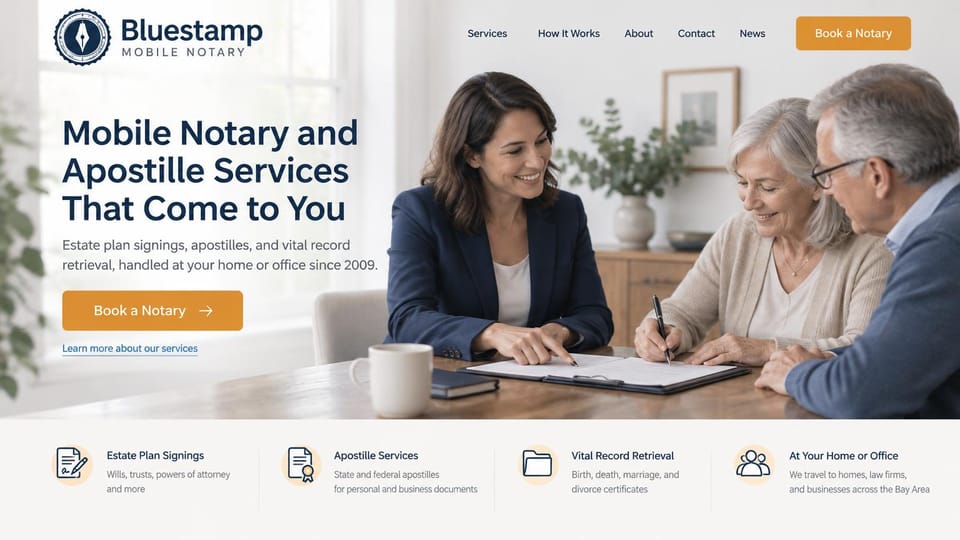
A bright home signing and a strip of services below, from estate plans to vital records.
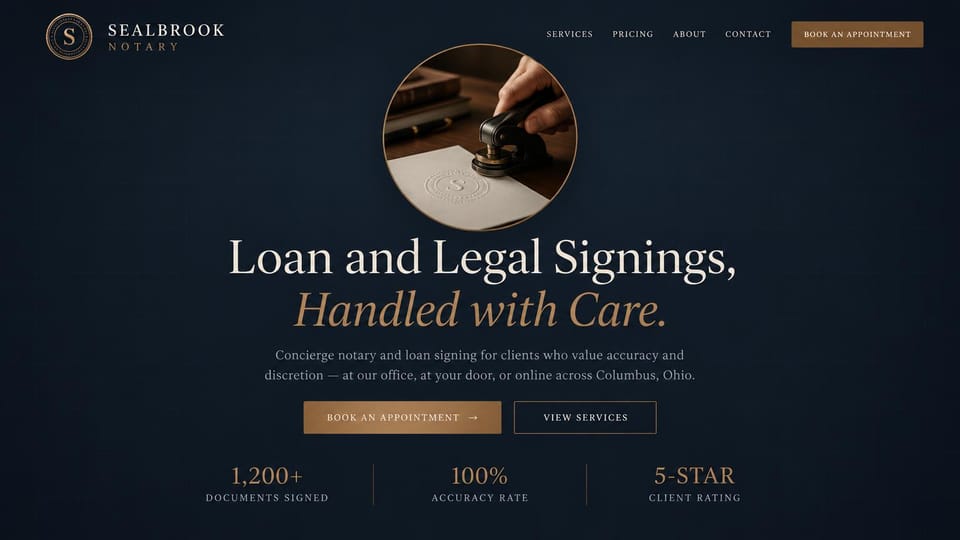
A circular seal photo above a centered serif headline, with office, home and online signings in one line.

A family signing at the kitchen table and one big call button, for notaries who get most jobs by phone.
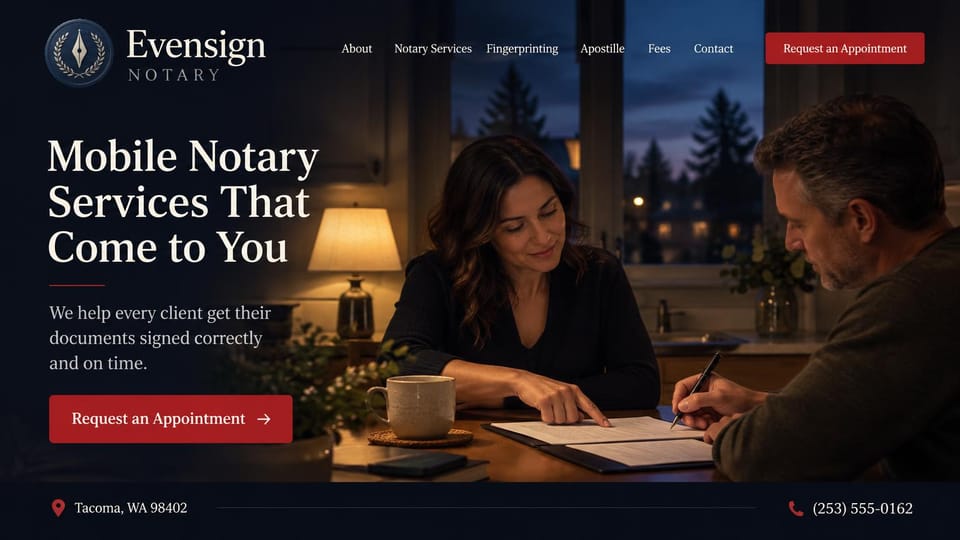
A lamp-lit signing after dark, with fingerprinting, apostille and fees in the menu and the phone along the bottom.

Speaks to agents, title companies and lenders while the photo shows a happy closing at the kitchen table.
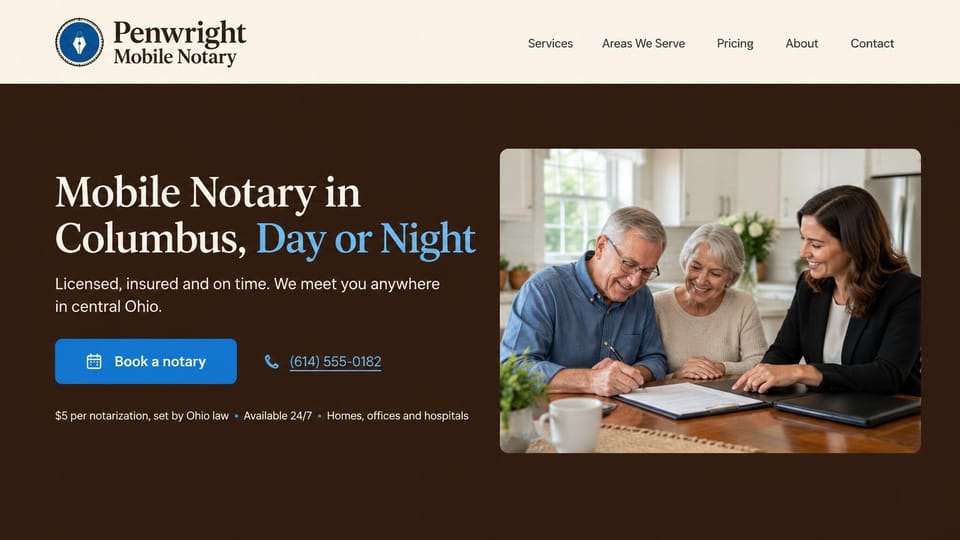
Names the city in the headline and puts the fee, hours and places served in one line under the buttons.

Your name and title as the headline beside a happy kitchen signing, for a solo notary clients ask for by name.
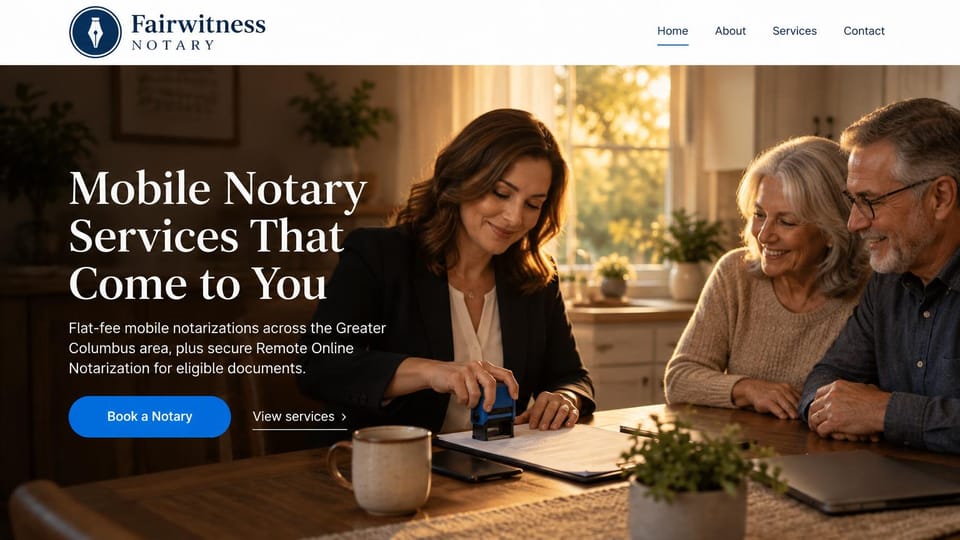
A warm kitchen signing behind a serif headline, offering flat-fee visits and online notarization side by side.
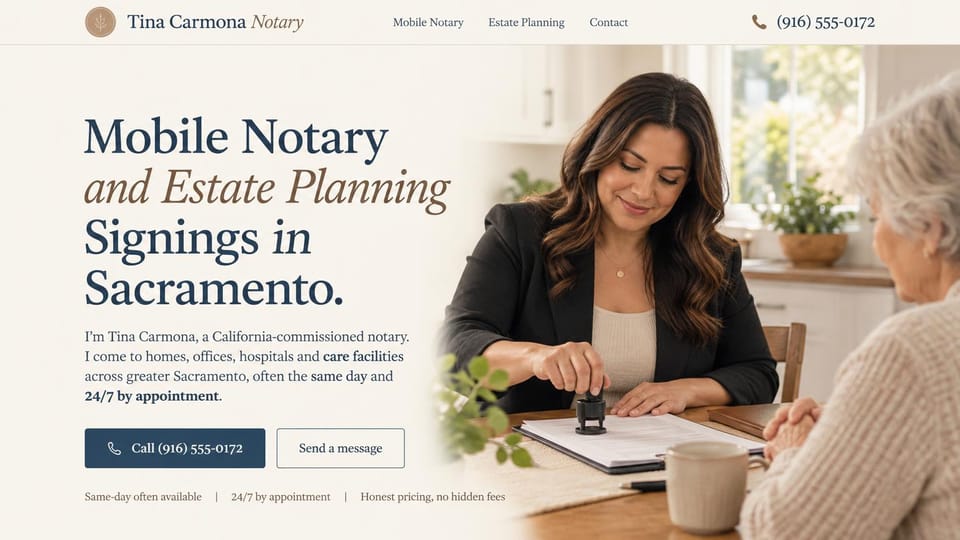
Estate planning in the headline and a first-person intro, with the number right on the call button.
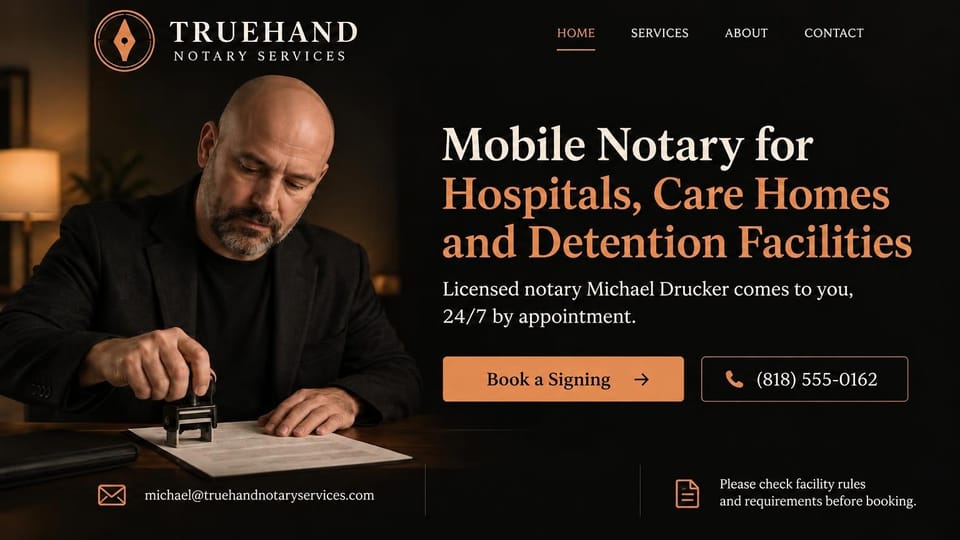
Names the places you visit in the headline, with your name, a booking button and a note to check facility rules.
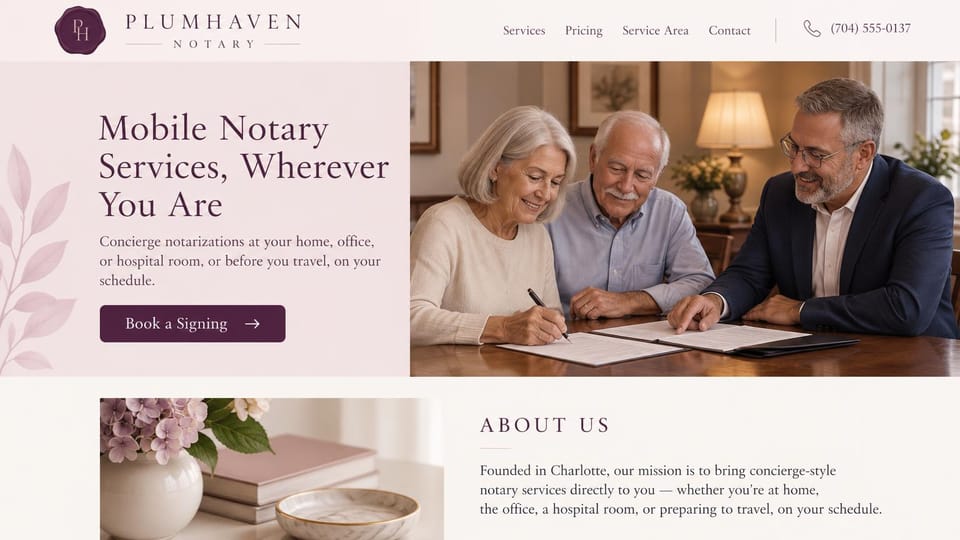
A lamp-lit signing and a soft about section, for notaries who visit homes, hospital rooms and travelers.
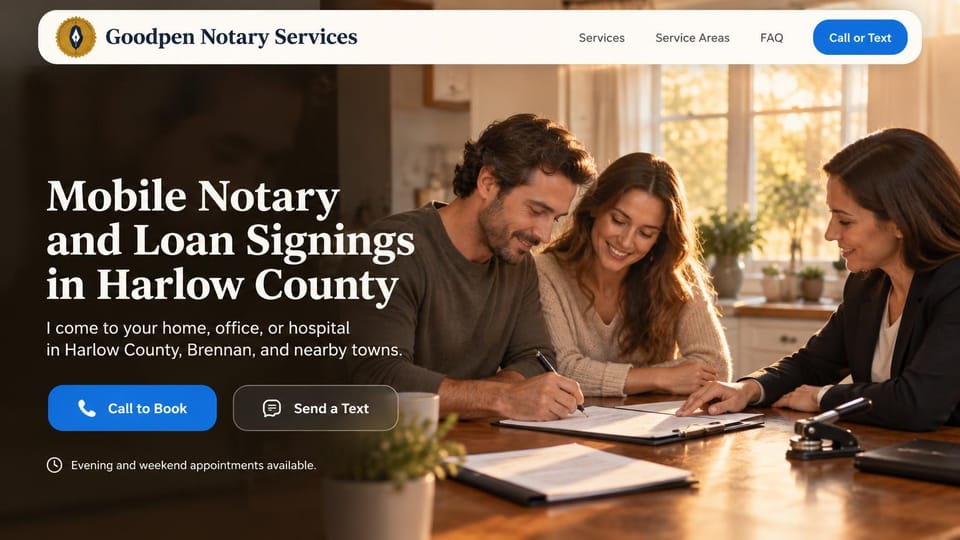
The county in the headline over a couple signing at home, with call and text buttons and evening hours below.

A friendly first-person line and a portrait at the office door, with a pen and stamp sketched behind the words.
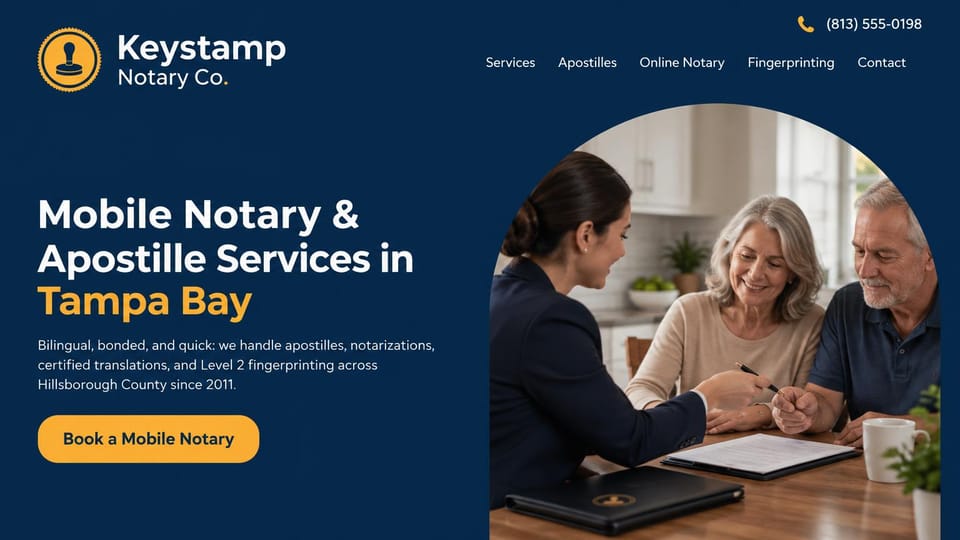
An arched photo and a menu of apostilles, online notary and fingerprinting, for a one-stop document service.
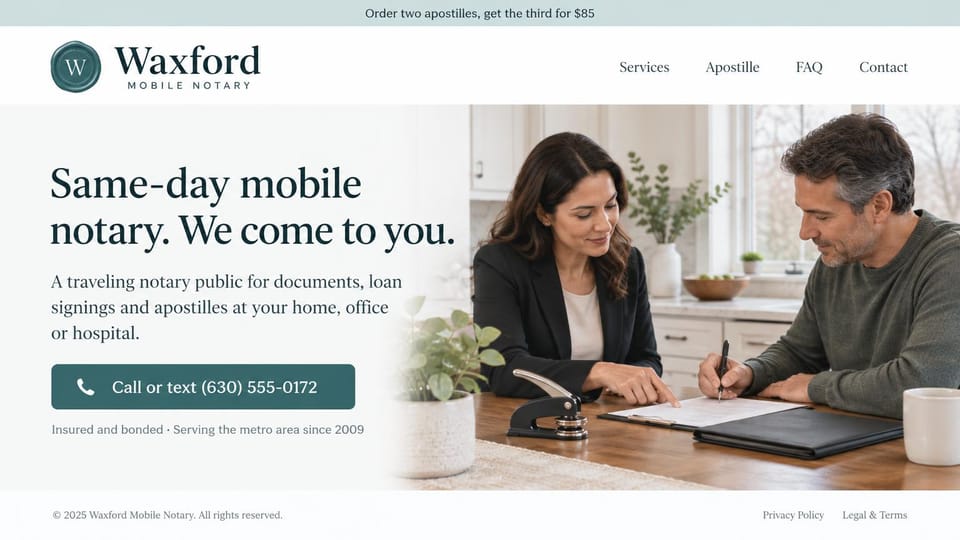
Leads with same-day visits and a call or text button, with an apostille offer in the top bar.

A downtown office that takes walk-ins, with apostille and translation in color and the address under the button.
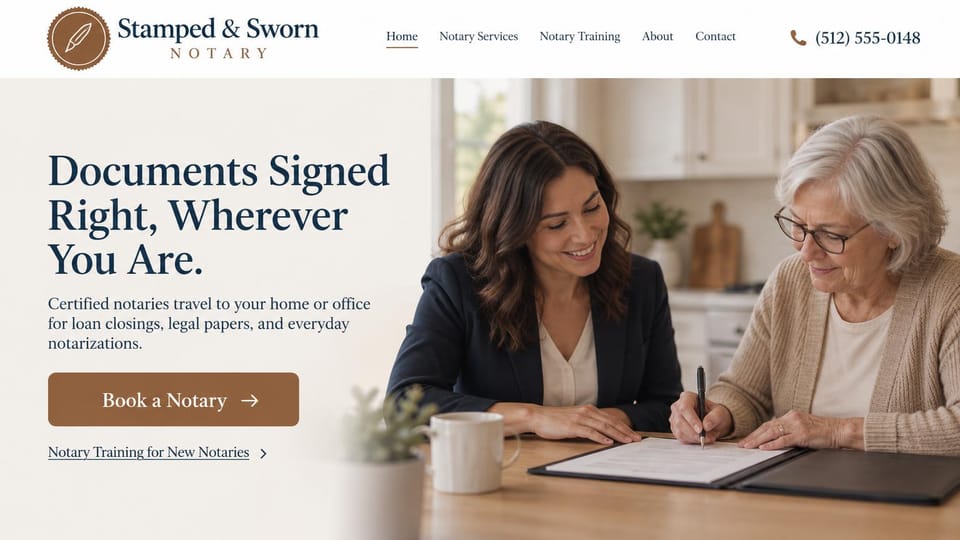
A bright kitchen signing and one booking button, with a training link for notaries who also teach the job.
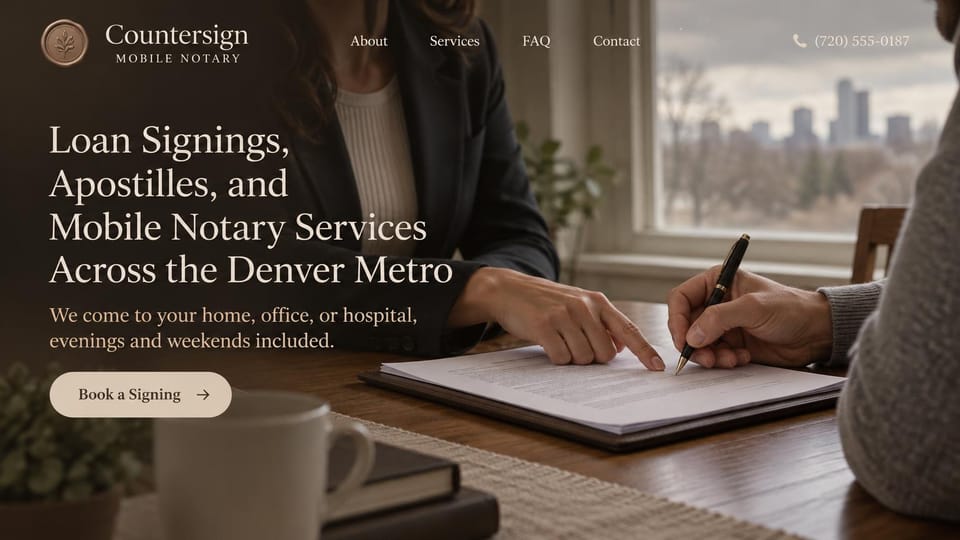
Lists every service in the headline over a close-up of the signing, with evenings and weekends said up front.
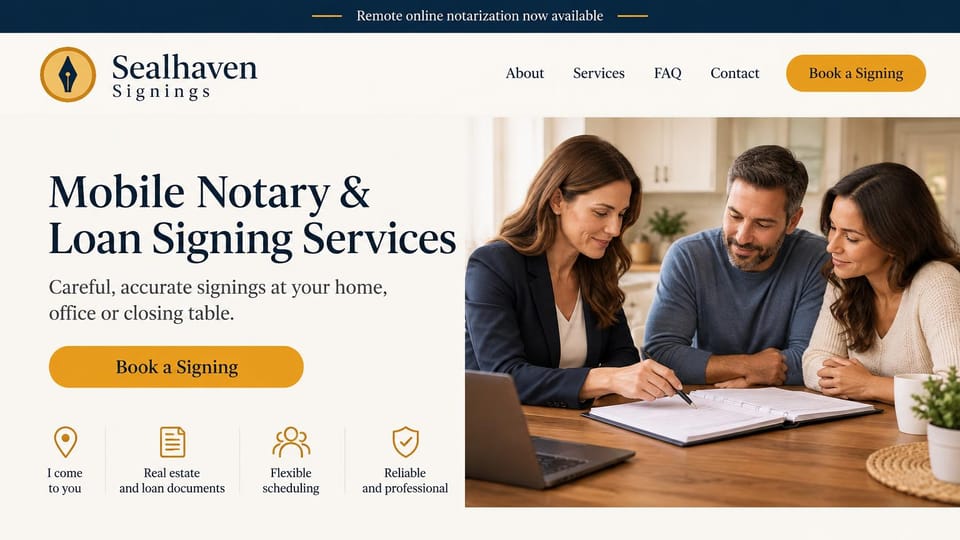
A kitchen-table signing beside four short promises, with online notarization announced in a top bar.
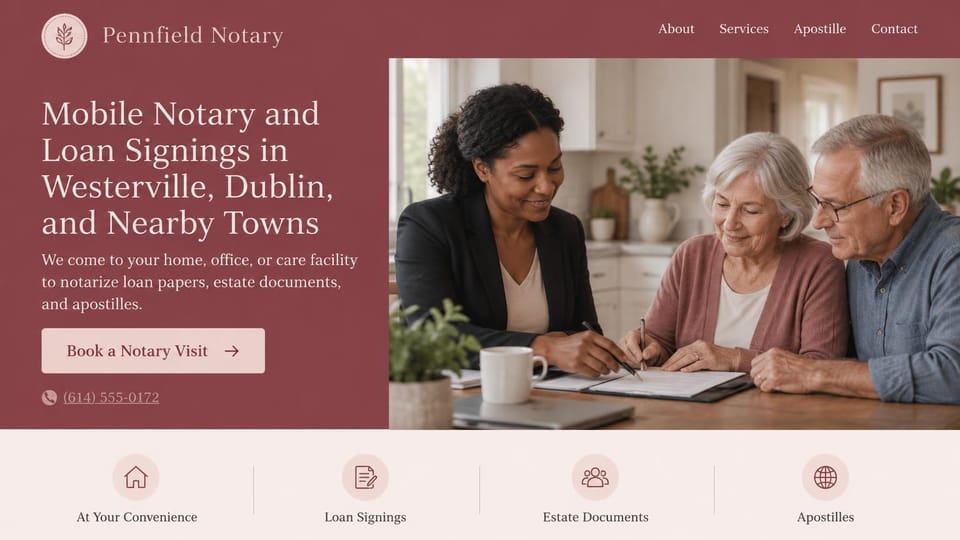
Names the towns it covers in the headline, with four service icons below, for notaries who serve a few suburbs.
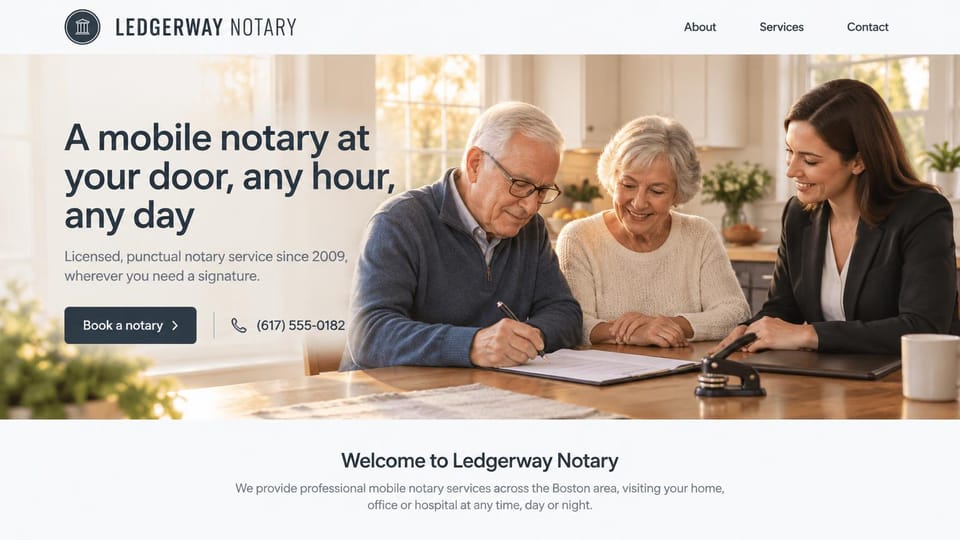
A warm kitchen signing with an older couple and a welcome line below, for notaries who visit at any hour.
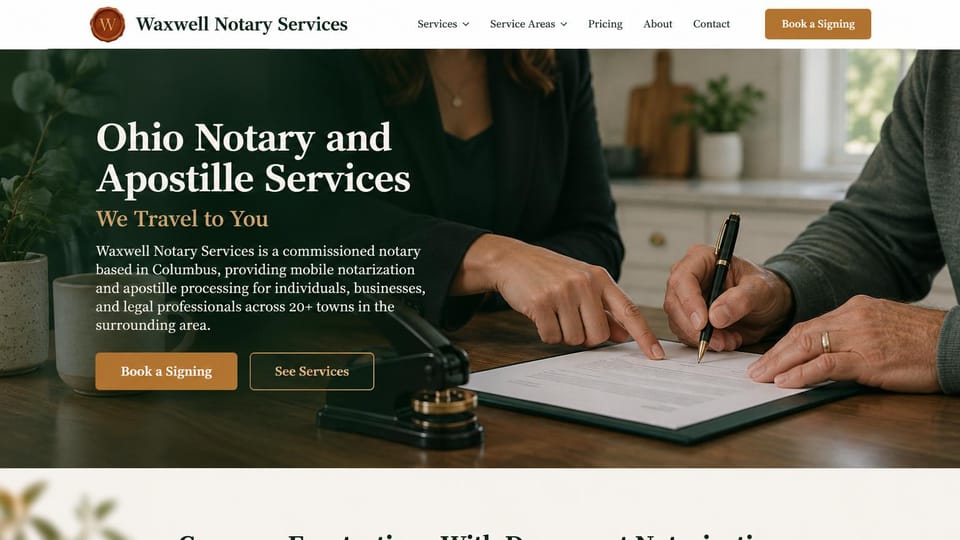
The state and services in the headline, a travel promise in gold, and one paragraph on who you serve.
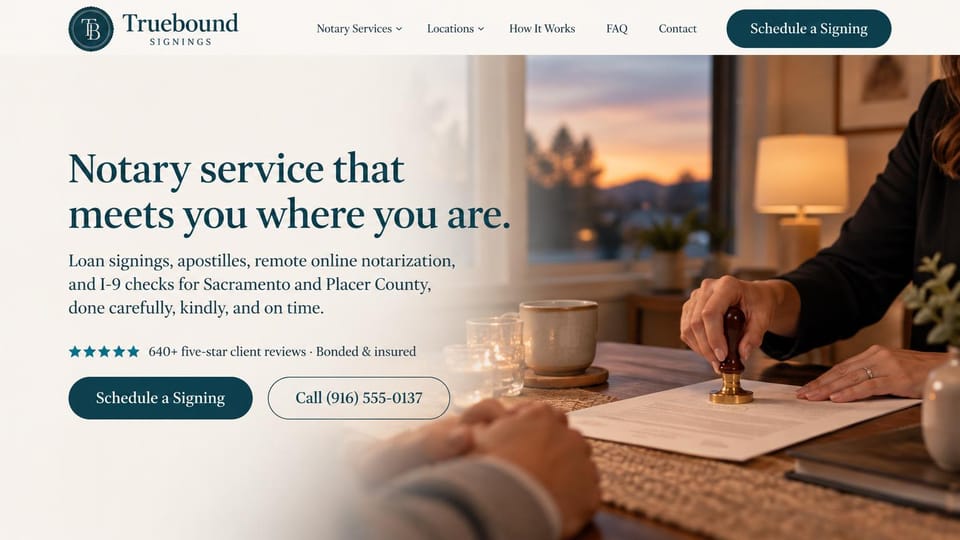
Every service and the counties served in one line, with the rating and bond note just above the buttons.

The notary's own portrait, seal in hand, beside quote and call buttons, with online apostilles in the top bar.

The notary checking a signer's ID beside the headline, with booking and tap-to-call right under it.
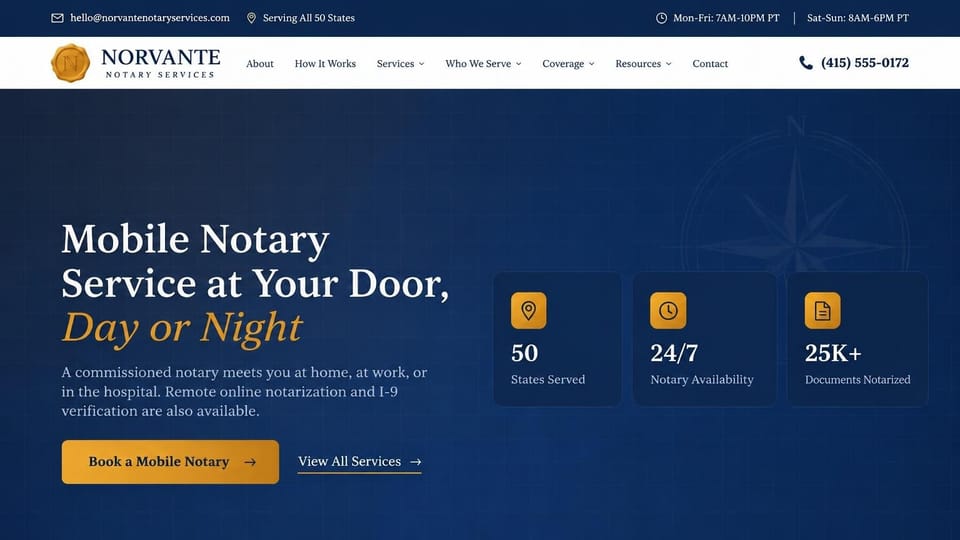
Three figure cards for coverage, hours and documents beside the headline, for notary services across states.
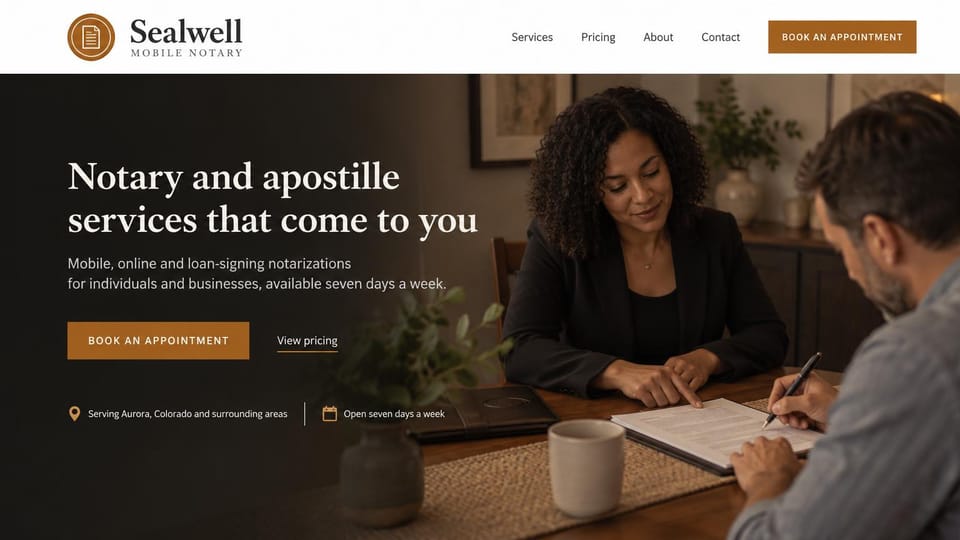
A quiet signing at home behind booking and pricing links, with the service area and days open on one line.
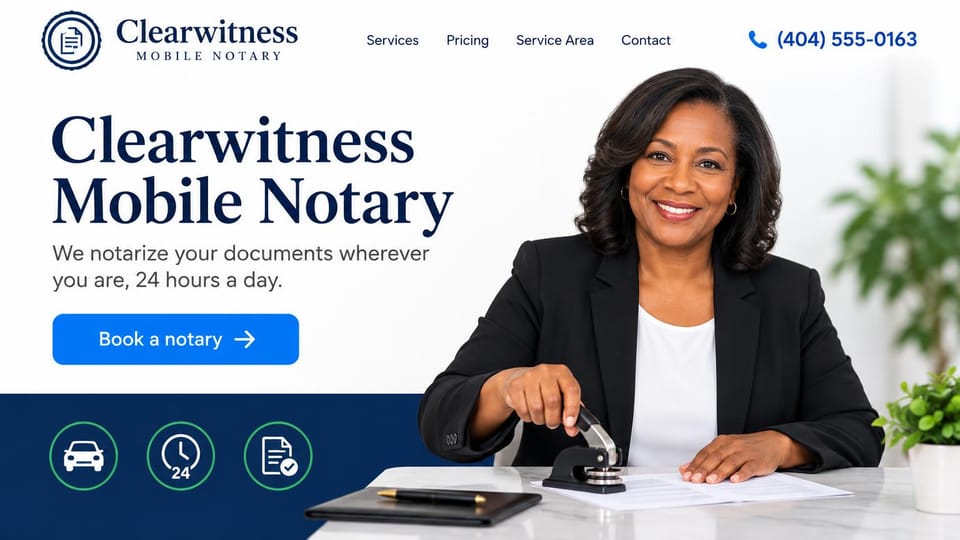
A smiling notary with her embosser, a bold name headline and three icons for travel, hours and documents.
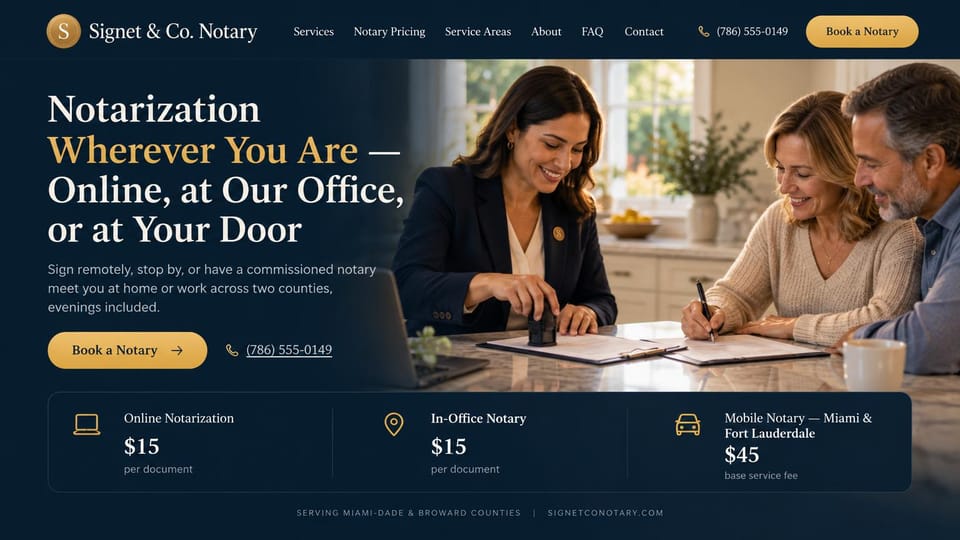
Price cards under the hero compare online, in-office and mobile notarization at a glance.
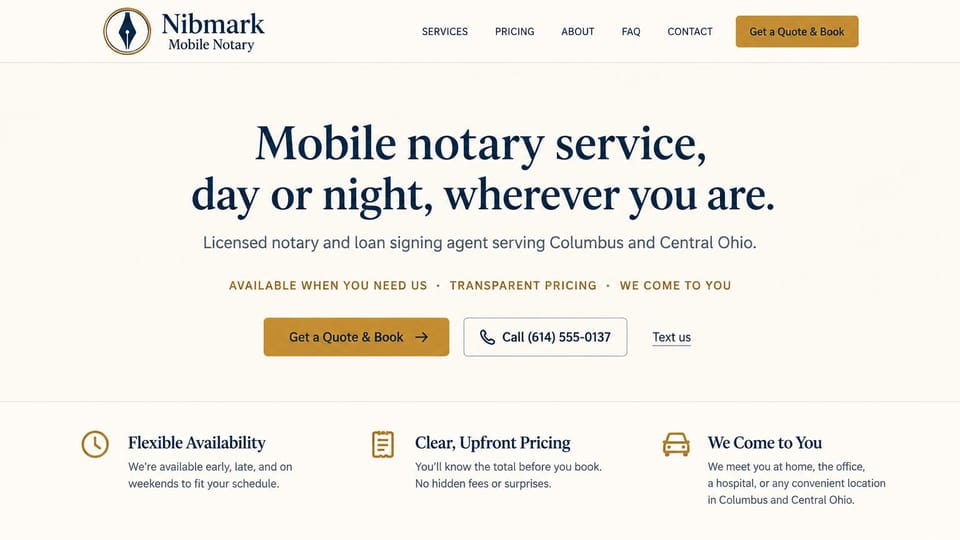
A centered promise with quote, call and text options and three benefits below, with no photo at all.
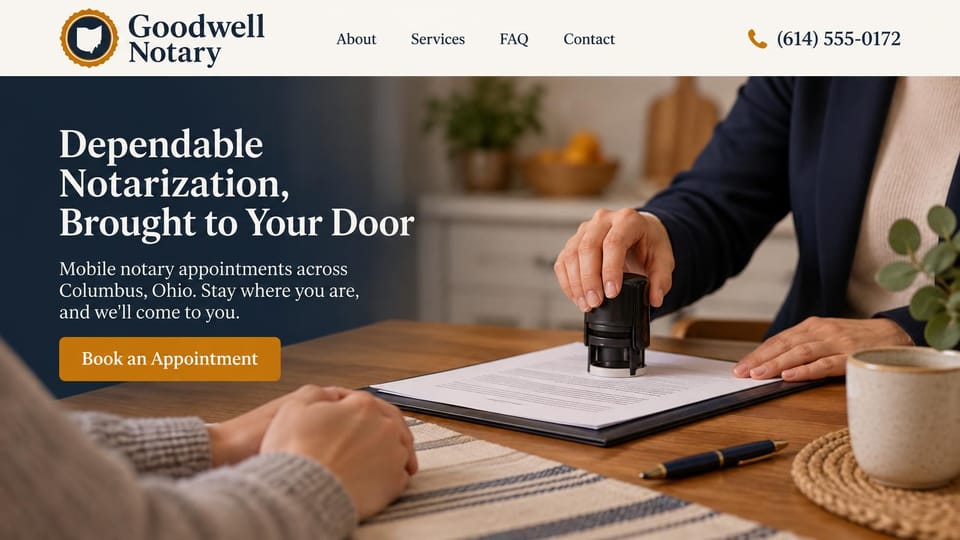
A close-up of the stamp at a kitchen table and a plain promise to come to the signer's door.
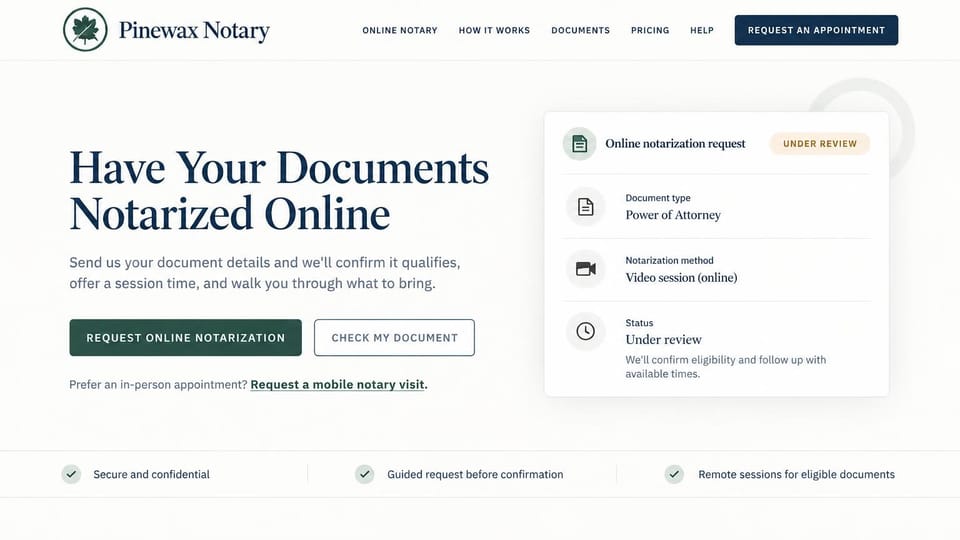
A sample request card shows the document, method and status, with a link for signers who want a mobile visit.
Every design is an illustration by Cactal. The notaries, people and photos in them are fictional. Updated October 2026.
Describe your notary business
What you notarize, where you travel and how clients should reach you. Cactal writes the pages, sets up your request form and publishes the site.
How it works
1 Pick a design
Browse by type of service and open any design to see it full size.
2 Add your details
Your services, fees, service area and how clients should reach you. Cactal writes every page and builds the site from your design.
3 Publish
Ask for changes in plain words until it's right, then publish free on a Cactal domain, or on your own domain with Pro.
What a notary website needs
Where you travel and when
Name the area you cover, your hours and whether you take evening, weekend or hospital calls. Someone with a deadline needs to know you can come.
Fees, stated plainly
Many states cap the fee for each notarial act, and travel fees are often separate. List what you charge for each and check your state's rules before you publish.
What signers should bring
Tell signers to bring valid photo ID and not to sign anything before you arrive. Clear instructions save a wasted trip for both of you.
Your commission and coverage
Show your commission state, your bond and errors and omissions insurance, and any signing agent certification you hold. Lenders and title companies look for these.
A clear line on legal advice
Unless you're also an attorney, say that you can't give legal advice or prepare legal documents. Some states require set wording, especially in ads in languages other than English.
A quick way to request a signing
Keep tap-to-call and a short request form that asks for the document type, the location and a preferred time. Link to your scheduling tool if you use one.
Questions
Are these notary website templates free?
Every design here is free to start from. You can sign up, build and publish on a Cactal domain without a card and with no time limit. Putting your site on a domain you own is $25 a month on Pro, or $240 a year.
Do I need to know how to code or design?
No. Describe your notary business in plain words and Cactal builds, edits and publishes the site. When you want a change, ask for it the same way.
How much does a notary website cost?
A custom build from a web designer often runs into the thousands of dollars and takes weeks. A builder template costs less, but you still write and fill in every page. With Cactal it's free to build and publish on a Cactal address, and your own domain is $25 a month on Pro, or $240 a year, with no setup fee.
Can I use my own domain?
Yes. Every site starts on a free Cactal address. Connect a domain you own on Pro for $25 a month, or $240 a year, and each additional website on its own domain is $20 a month.
Who owns the website?
You do. Every Cactal site is real React source code, so you can take it and run it anywhere. There is no export to buy.
Are these real notaries?
No. Each design is an illustration made by Cactal, and the business names, people, numbers and photos in it are fictional. Your site is built around your own business.
Can clients book a signing on my site?
Cactal sets up a request form for signings that emails you each request with spam filtered out. If you use a scheduling tool, your site can link to it or embed it. Cactal doesn't run its own booking calendar or take payments.
Can my site offer remote online notarization?
Your site can explain your remote service and link to the online notarization platform you use. Cactal builds the site, not the video signing, and rules for remote notarization vary by state.
More website templates
- Law firm, lawyer and attorney website templates
- Print shop website templates
- Accountant and bookkeeping website templates
- Logistics and trucking website templates
- Consulting website templates
- Coaching and life coach website templates
- Financial advisor website templates
- Mortgage broker and lender website templates
- Insurance agency website templates
- Recruiting and staffing agency website templates
- Astrology and psychic website templates
- Virtual assistant website templates
- Speaker website templates
- Security company website templates
- Manufacturing website templates

Your notary website, built for you.
Pick a design or just describe your notary business. Free to start, no card needed.
Start building