Daycare and preschool website templates. Pick one and Cactal builds it.
35 designs for daycares and preschools, with one location or several, including Montessori, co-op, faith-based and nature preschools. Choose one and Cactal turns it into your center's website, with your programs by age, your hours and a form for tour requests.
Daycare website designs
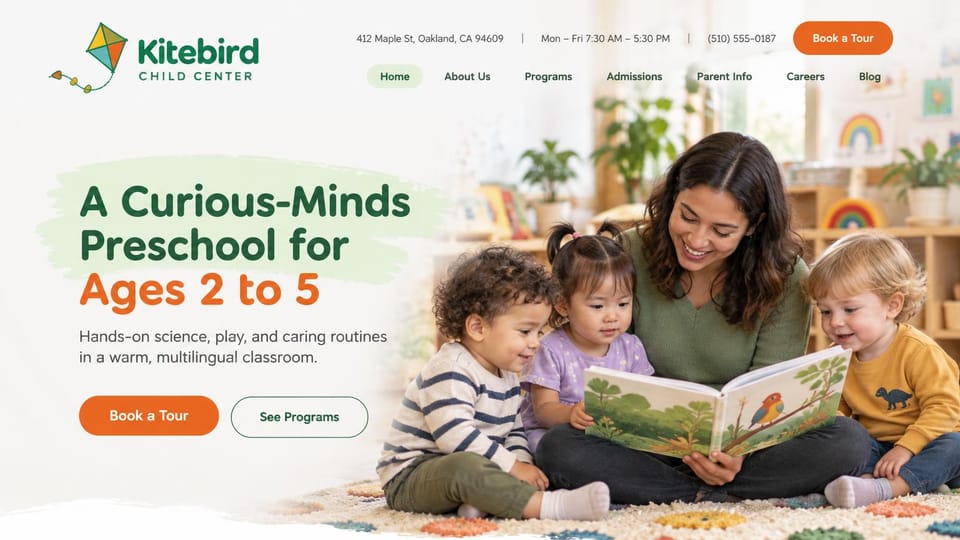
Address, hours and phone sit above the menu, so parents see where and when before they book a tour.
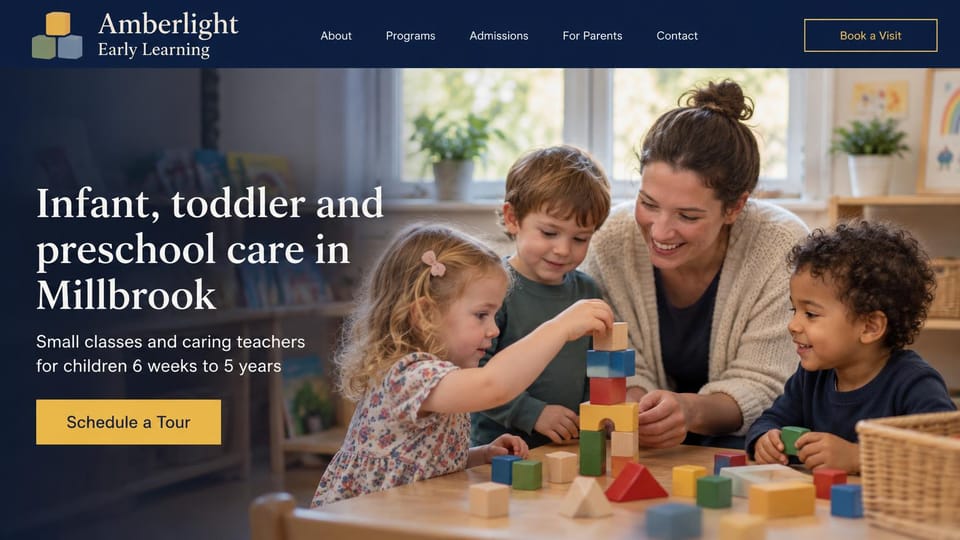
Says who you care for and where in the headline, over a warm classroom photo, with one tour button.
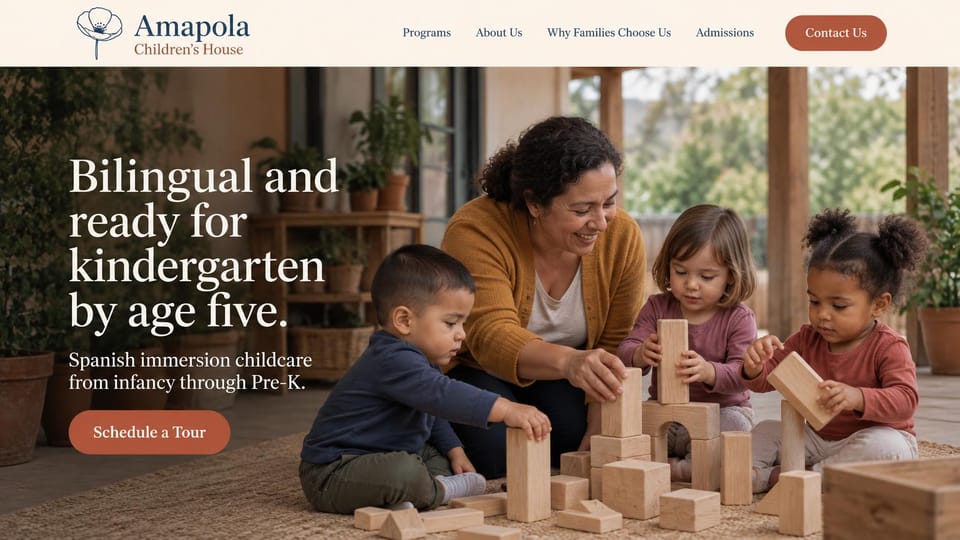
Puts the language and the kindergarten-ready goal in the headline, for immersion and bilingual programs.
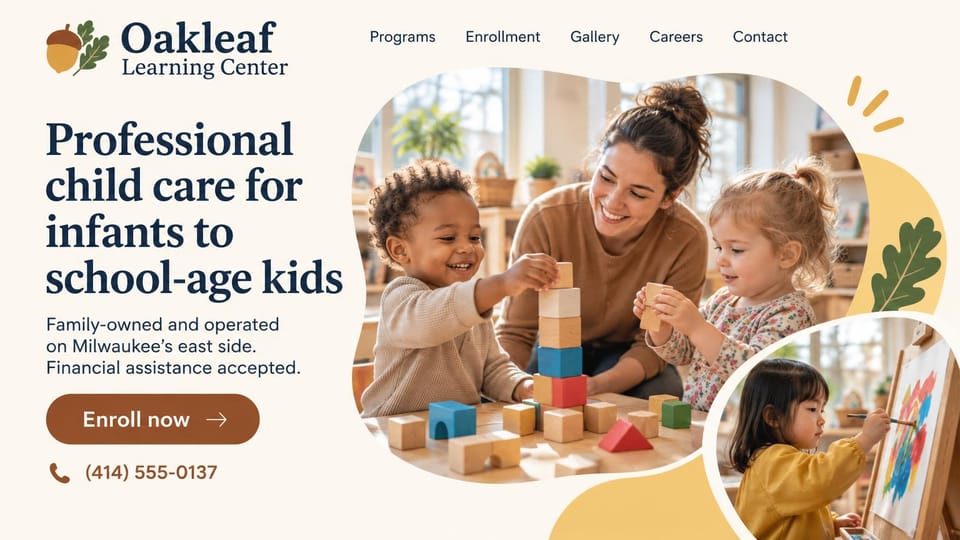
Says the ages you take, that you're family-owned and that you accept childcare assistance, with an enroll button.
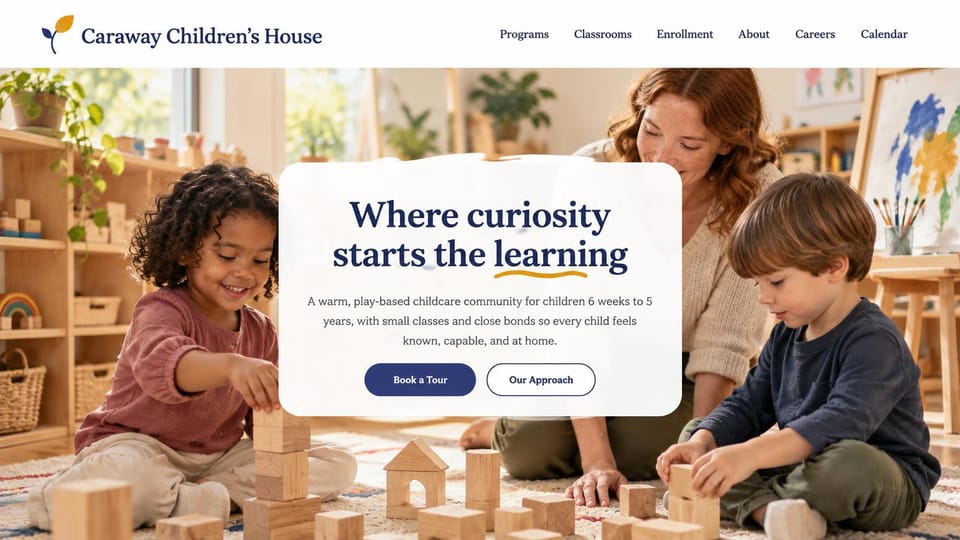
One centered card over a sunny classroom photo says the ages and class size, with tour and approach buttons.
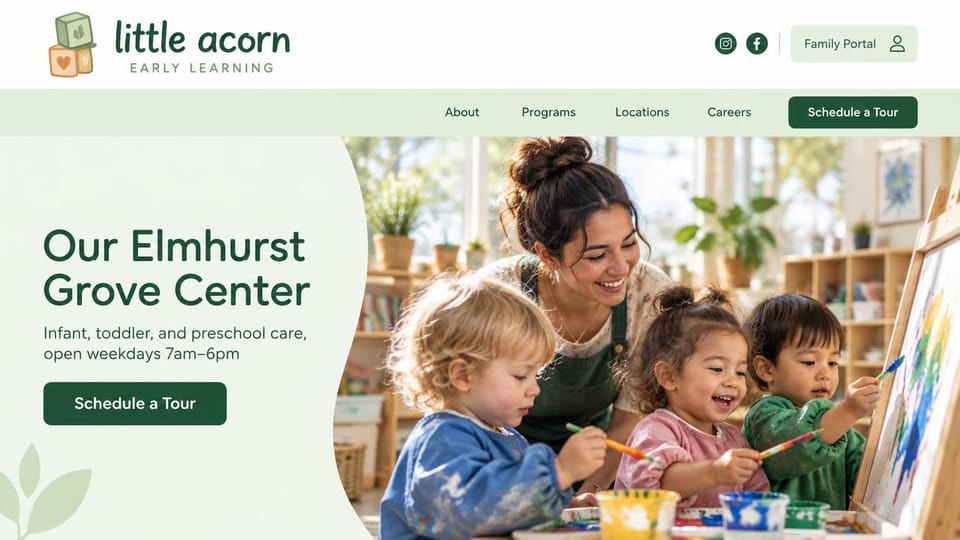
Names the center, the ages it takes and its daily hours, with a portal link for enrolled families.
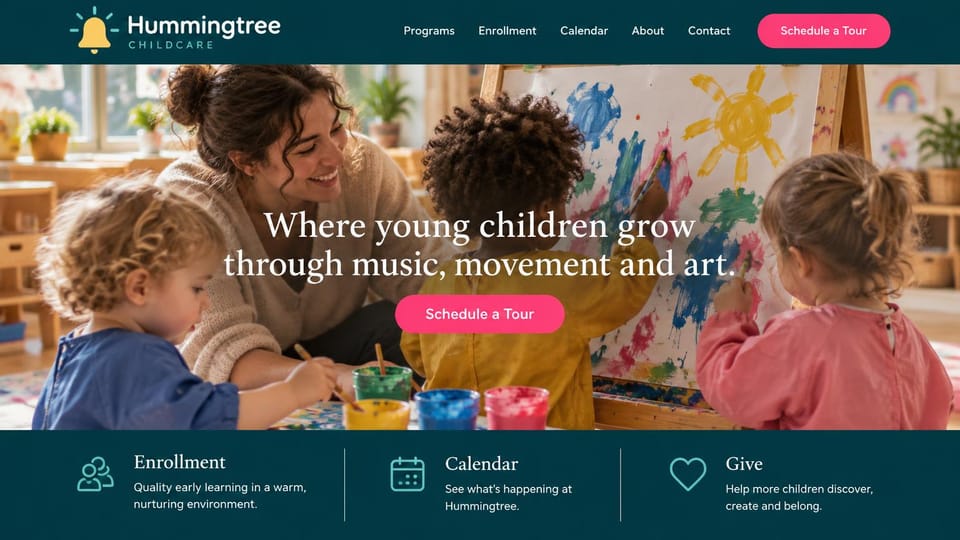
Names music, movement and art in the headline, with enrollment, calendar and giving links under the photo.
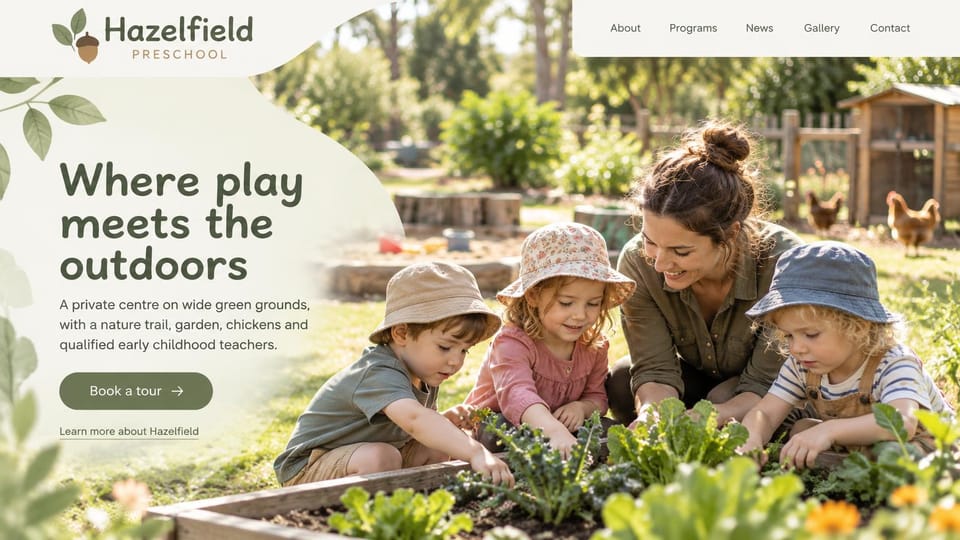
A full-width garden photo and a promise about outdoor play, for programs built around grounds and gardens.
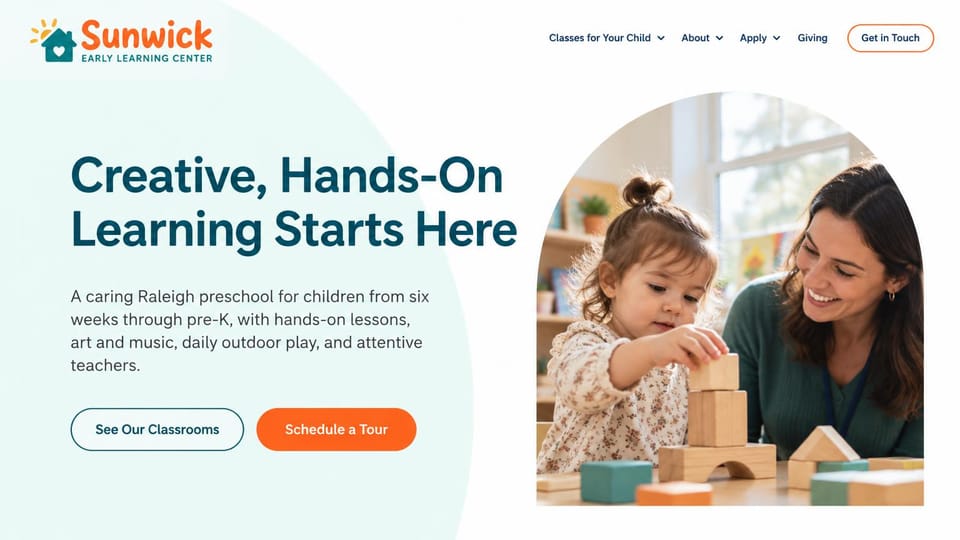
A bold headline and a short line on lessons, art and outdoor play, with buttons to see classrooms or tour.
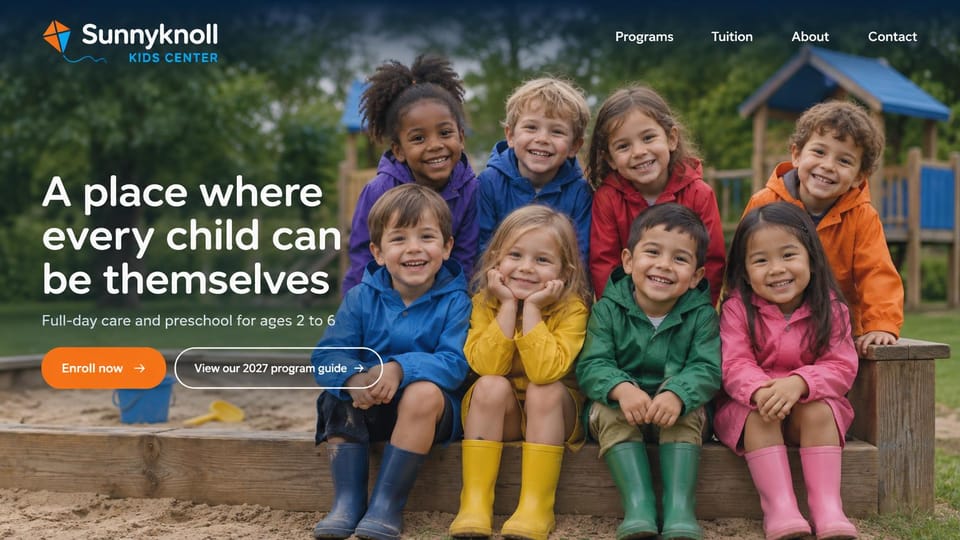
A group of smiling children fills the screen, with an enroll button and a downloadable program guide.
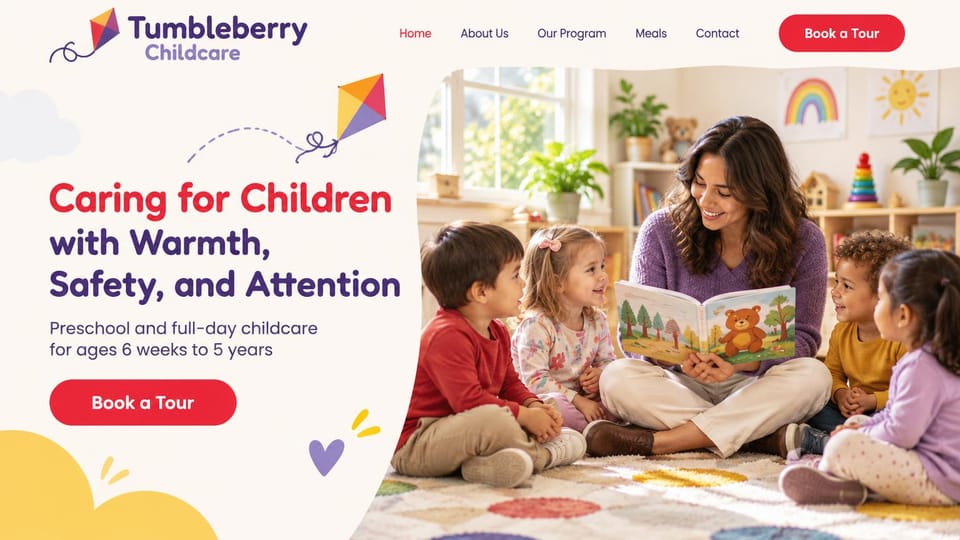
A warm promise about safety and attention, with ages and programs in one line and a tour button.

Puts faith and learning side by side in the headline, for church preschools and faith-based programs.
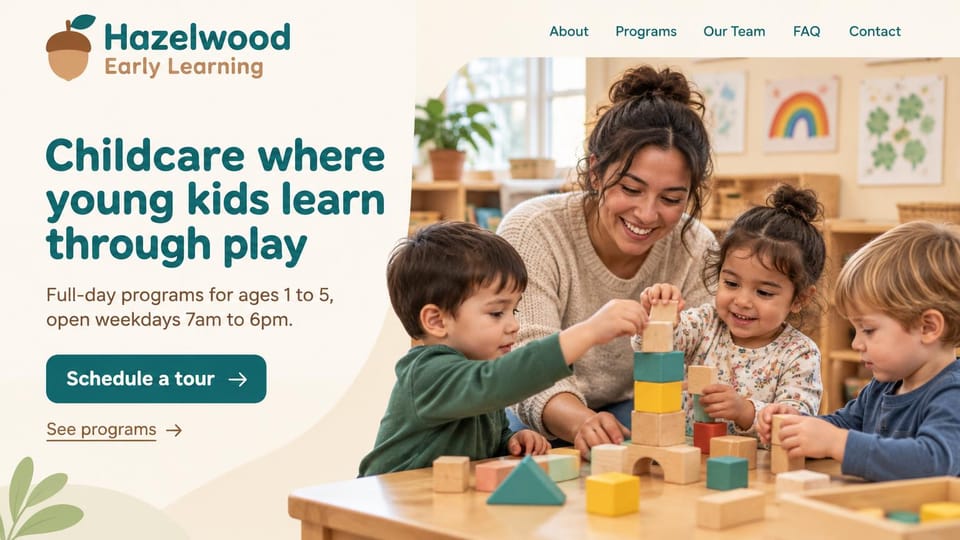
Says what you offer and for which ages, shows your weekday hours and offers a tour or a look at programs.
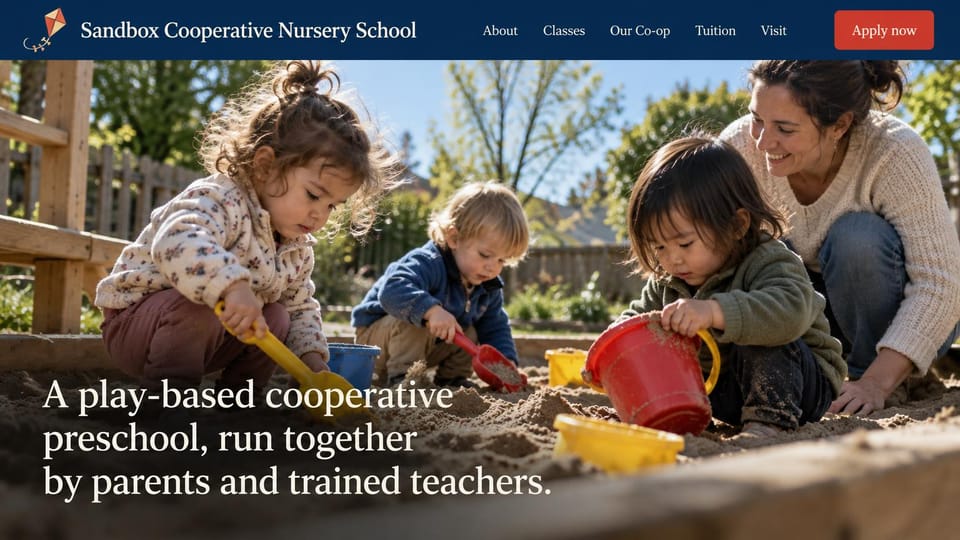
Says in the headline that parents and teachers run the school together, set over a sunny sandbox photo.

Welcomes families in the center's own name, then a tour button, a phone link and three short promises.
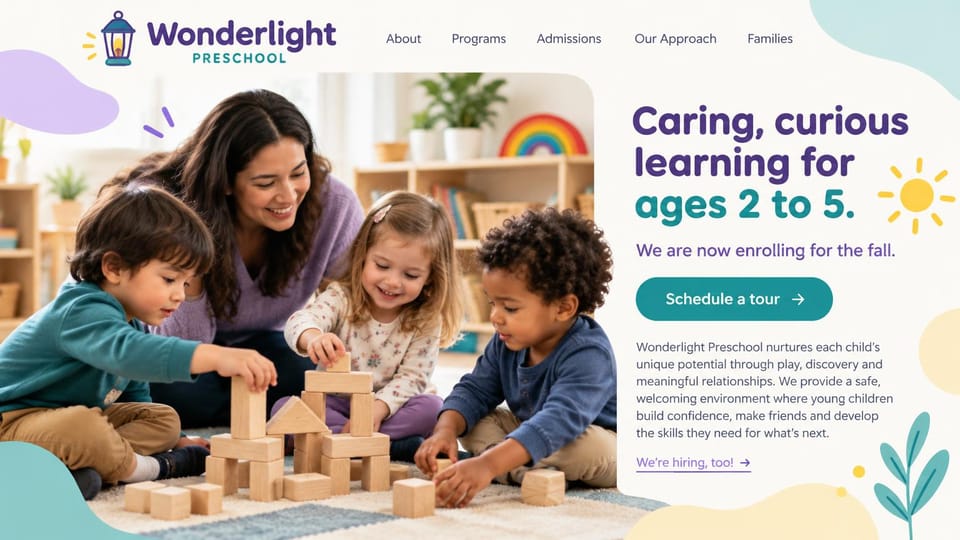
A big block-building photo on the left and the headline, enrollment line and tour button on the right.
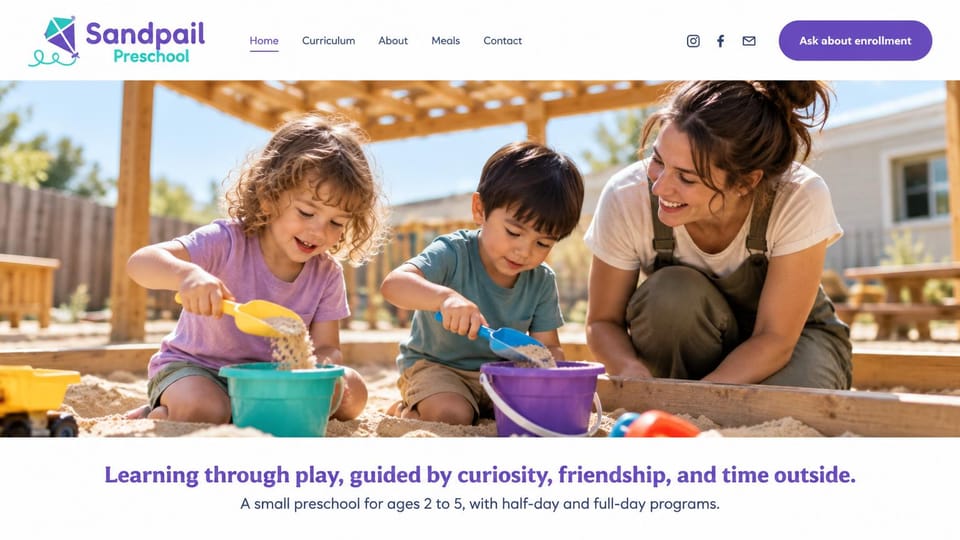
A wide sandbox photo leads, and one line below says the ages and the half-day and full-day options.
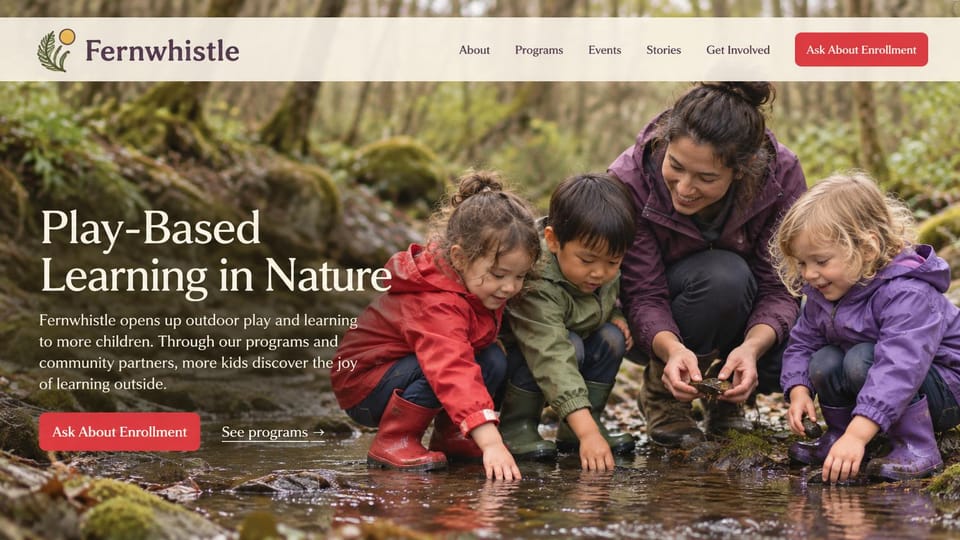
A full-width creek photo carries the message, with an enrollment button and a link to programs beside it.
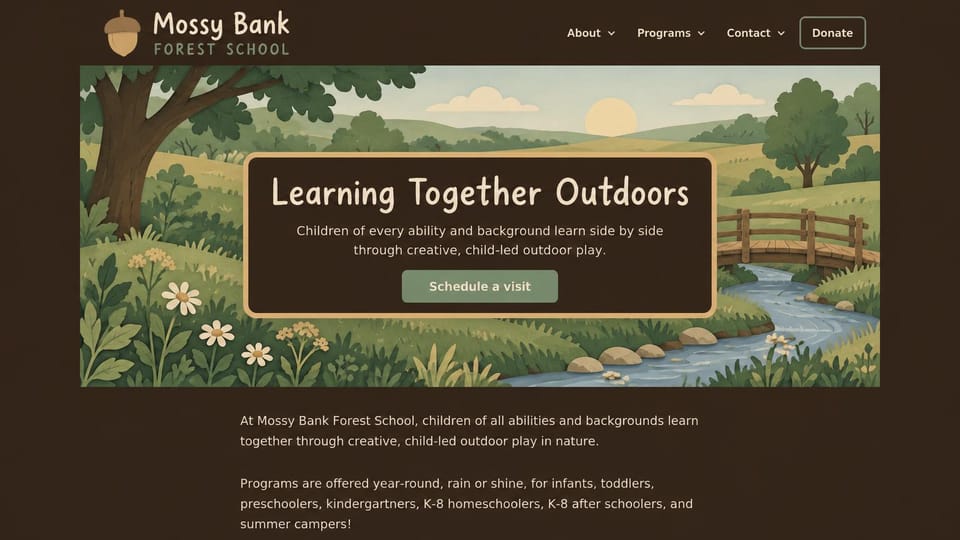
An illustrated meadow replaces photos of children, and the intro lists every age group the school serves.
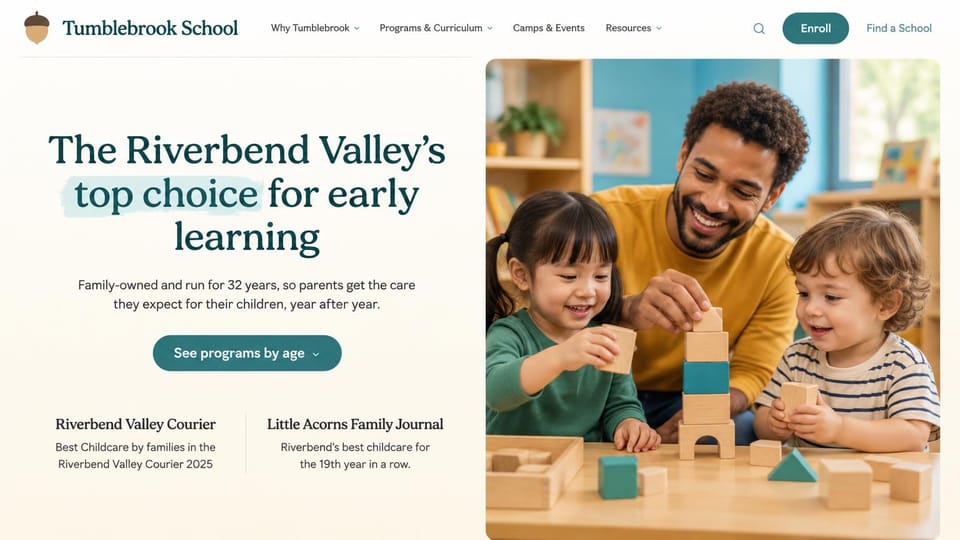
Leads with a local-favorite line and backs it with community awards, with a programs-by-age button.
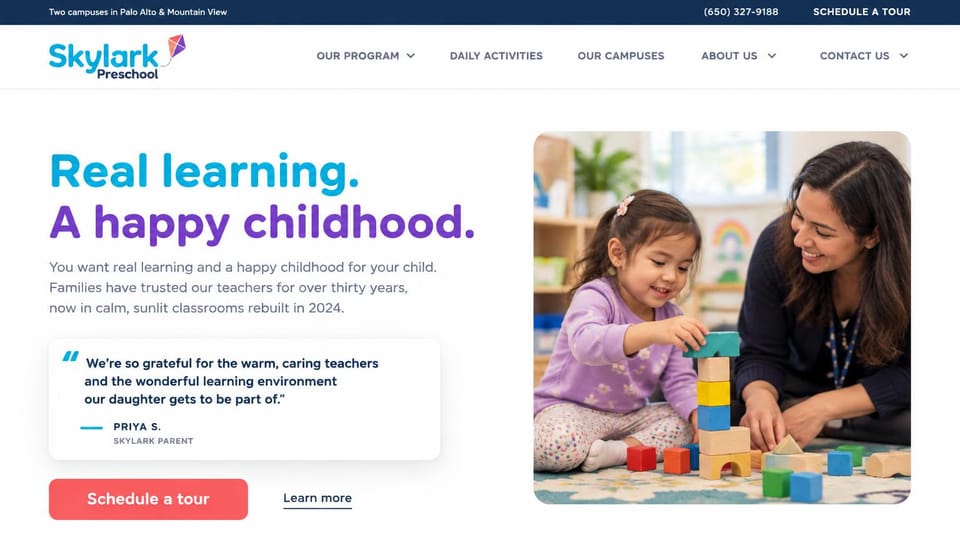
A parent's words sit right under the headline, with campuses, phone and a tour link in the top bar.
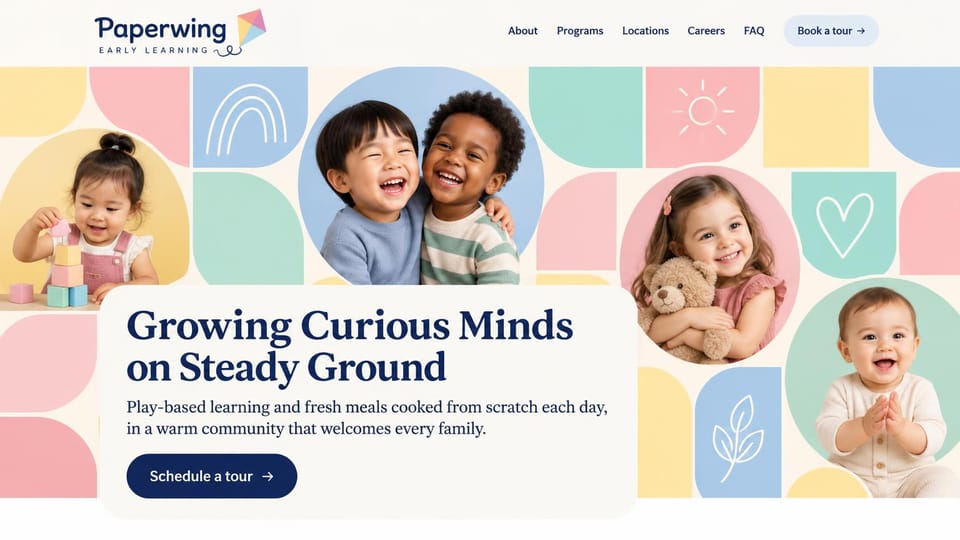
Pastel tiles and portraits from baby to preschooler frame the headline, with a word about meals cooked daily.
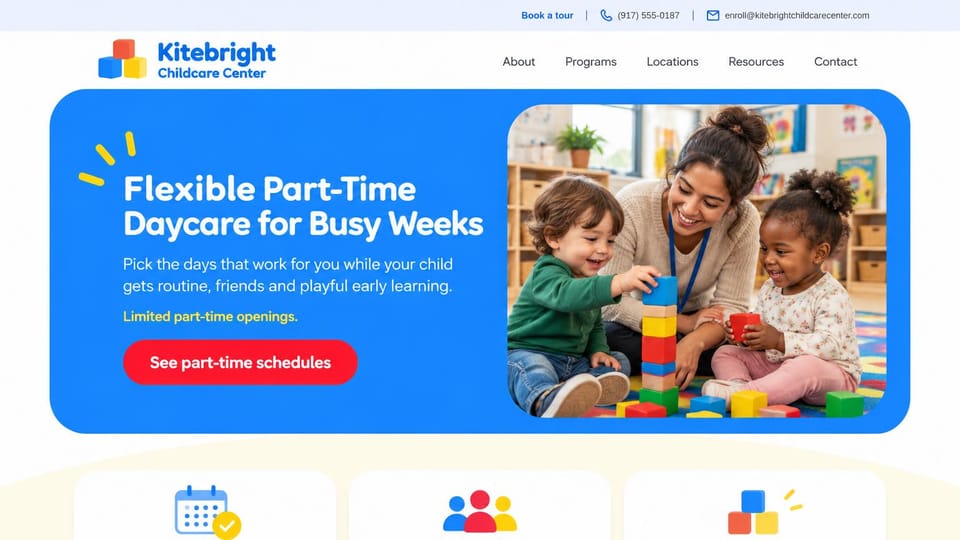
Says part-time in the headline and sends parents straight to schedules, for centers with flexible spots.
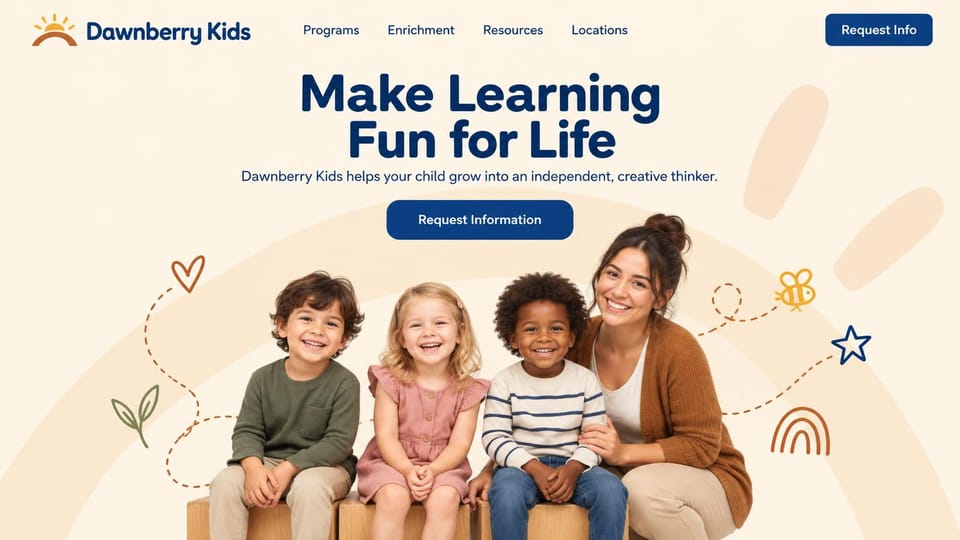
A centered headline over a portrait of children with their teacher, framed by hand-drawn doodles.
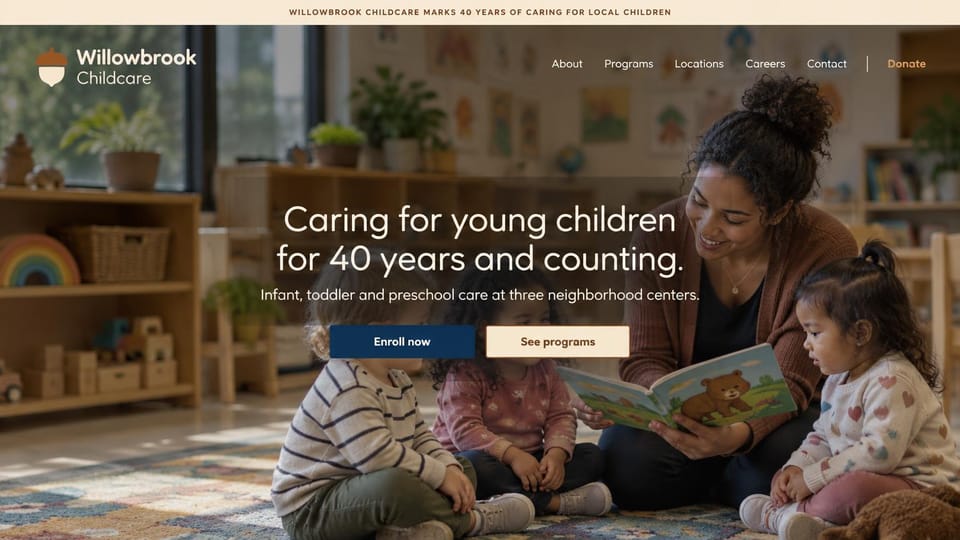
A centered message over a story-time photo, with buttons to enroll or see programs and a donate link.
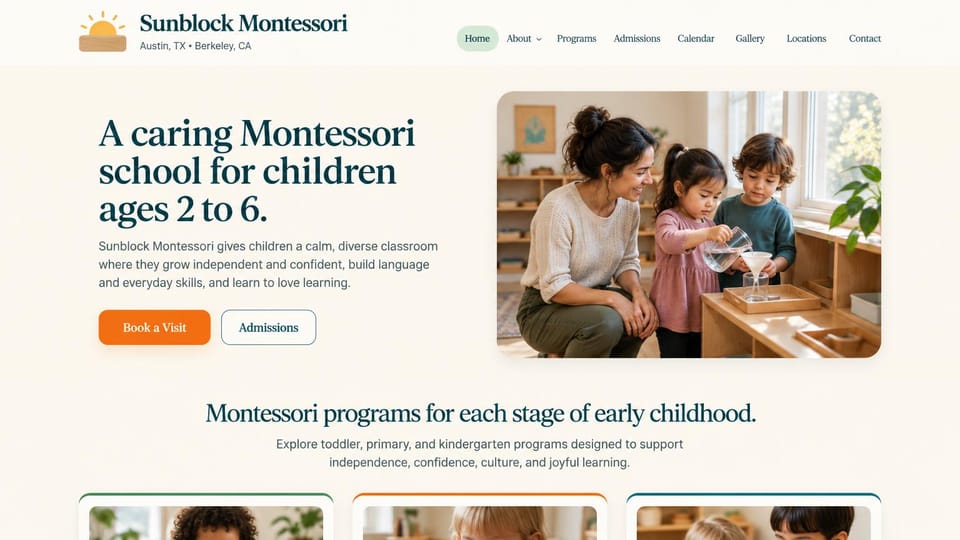
Names the method and ages in the headline and each campus city under the logo, with program cards below.
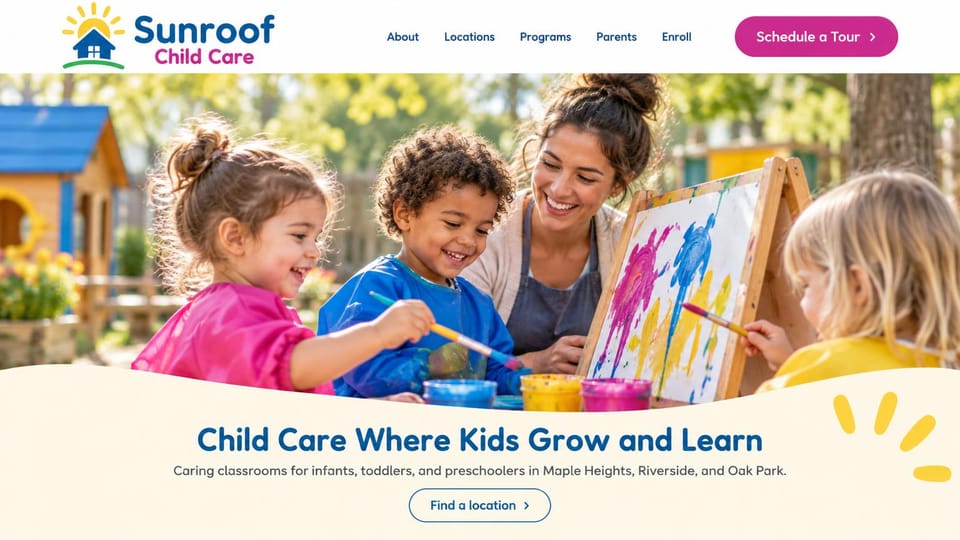
Names the ages and the towns you serve under a sunny painting photo, with one find-a-location button.
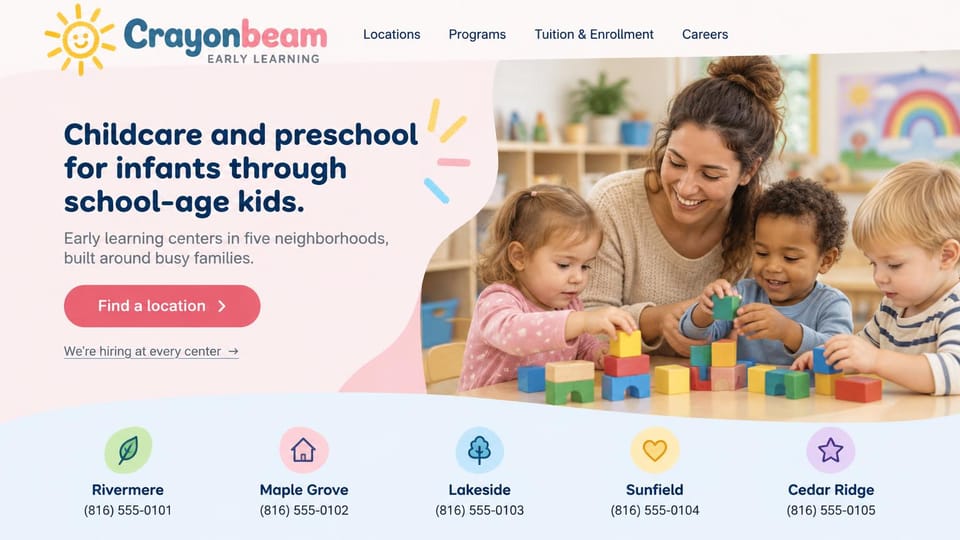
A find-a-location button beside a block-building photo, with each neighborhood center and its phone in a row below.
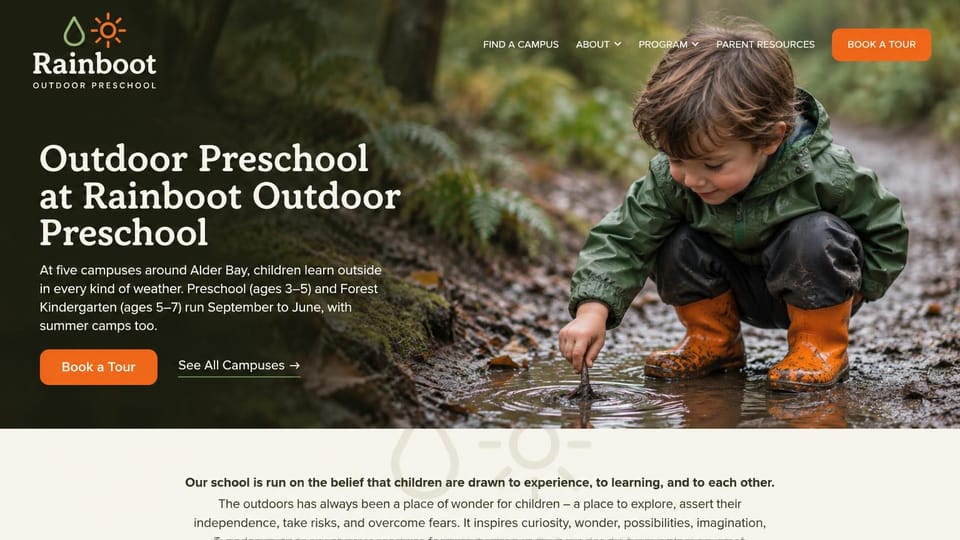
A child exploring a forest puddle sets the tone, with campuses, ages and seasons in the opening lines.
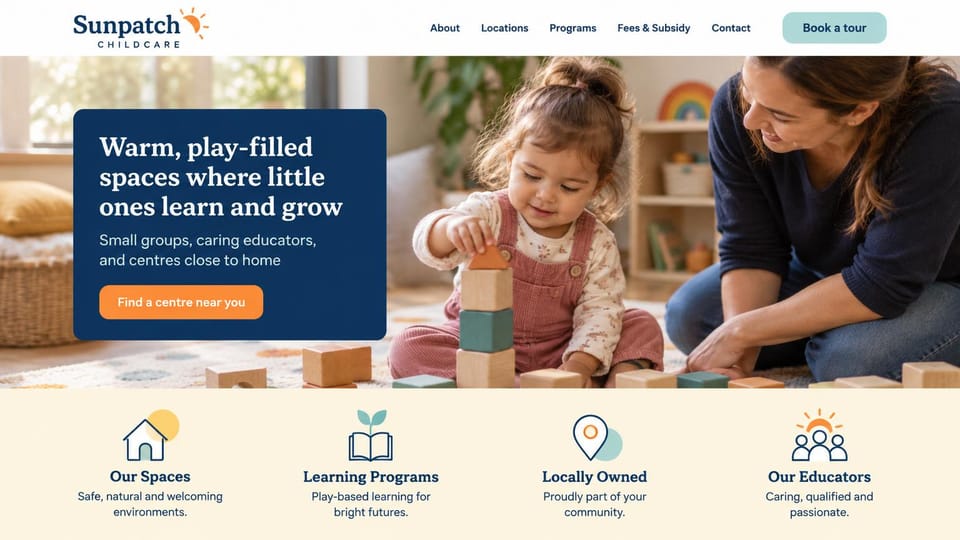
A navy card with a find-a-center button over a play photo, then four short promises with icons below.
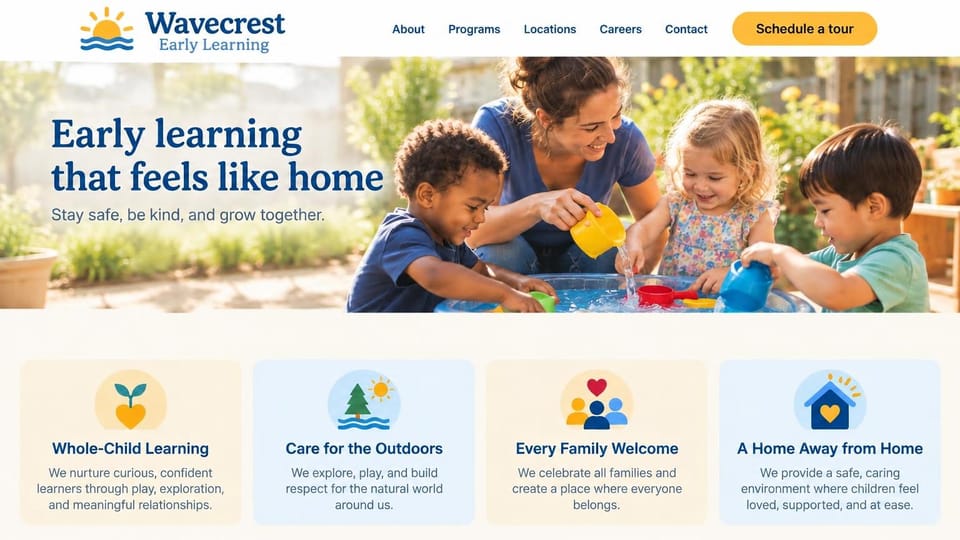
A wide outdoor play photo, a homey promise and illustrated value cards, for groups with several centers.
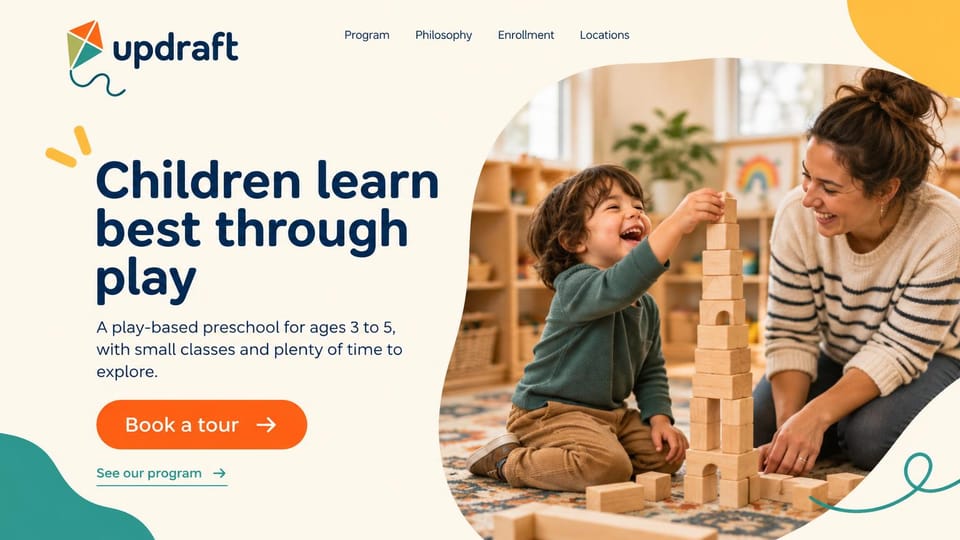
A big belief about play, the ages and class size in one line, and a tour button, framed by playful shapes.
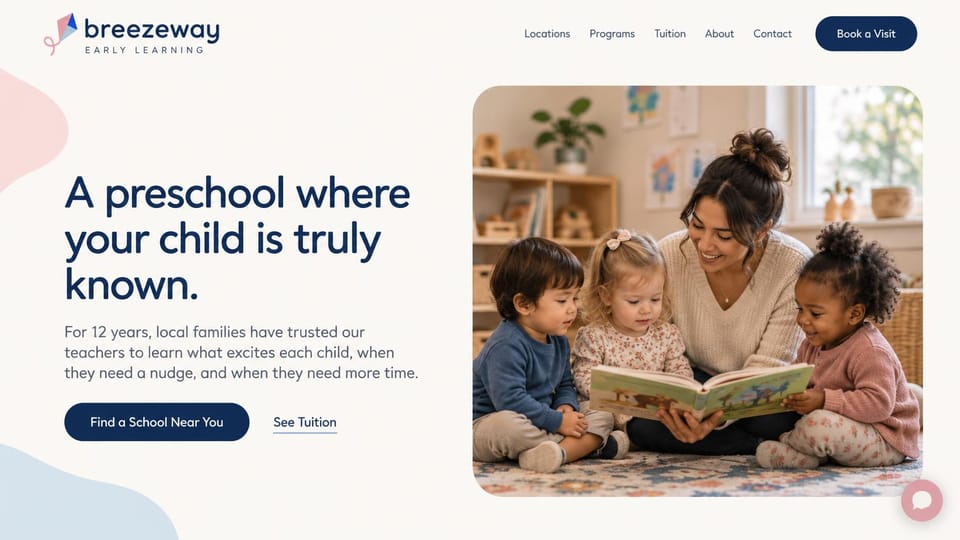
Plain words on knowing each child, with a school finder button and a link straight to tuition.
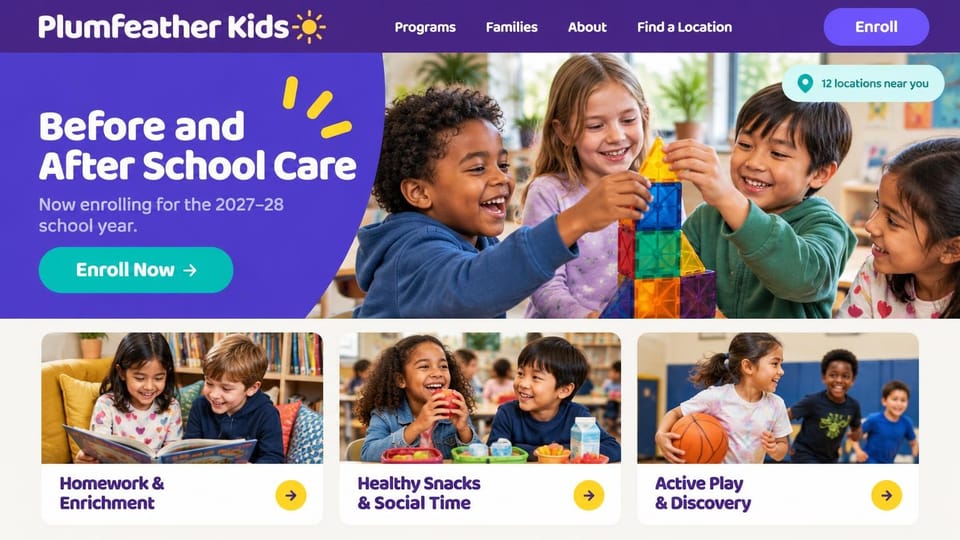
For school-age programs: an enroll button, a locations count and cards for homework, snacks and play.
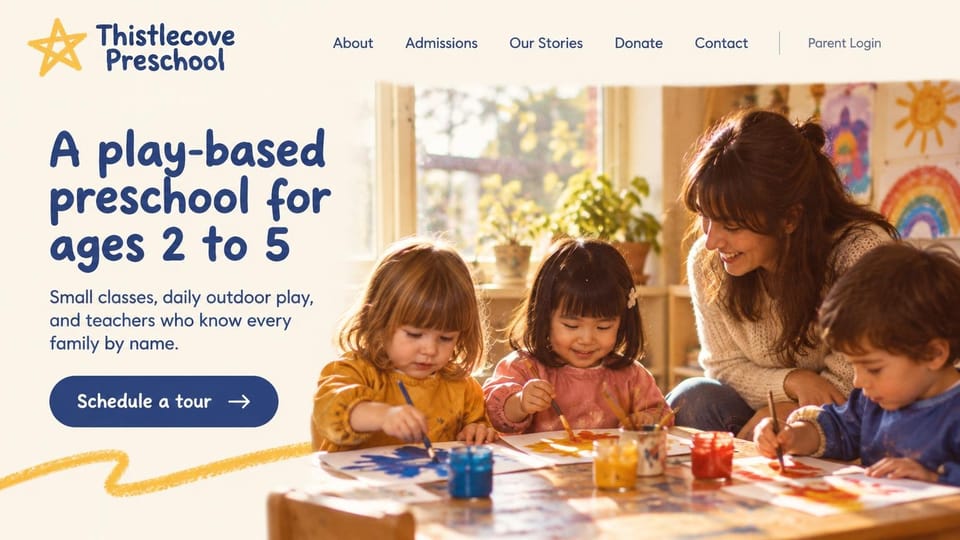
Shows ages 2 to 5, small classes, outdoor play and a tour button, for neighborhood preschools that take donations.
Every design is an illustration by Cactal. The centers, people and photos in them are fictional. Updated October 2026.
Describe your center
Who you care for, where you are and how families should reach you. Cactal writes the pages, sets up your tour request form and publishes the site.
How it works
1 Pick a design
Browse by program or number of locations and open any design to see it full size.
2 Add your center's details
Your programs and ages, hours, locations and how families can arrange a visit. Cactal writes every page and builds the site from your design.
3 Publish
Ask for changes in plain words until it's right, then publish free on a Cactal domain, or on your own domain with Pro.
What a daycare website needs
Ages, hours and location first
Parents check three things before anything else: whether you take their child's age, whether your hours fit their workday and how far you are. Put all three on the first screen.
A section for each age group
Give infants, toddlers, preschool and pre-K their own part: group sizes, a typical day, meals and naps. Parents read the section for their child closely.
An easy way to ask for a tour
Many families want to visit before they enroll. A short form asking for the child's age, the start date they need and good times to visit makes the next step simple.
Licensing, safety and health
Say that you're licensed, and explain your safety, pickup and sick-child policies in plain words. Licensing rules differ by state and country, so describe yours accurately.
Tuition and how enrollment works
Share tuition or a starting rate if you can, and explain enrollment, any waitlist and, for a co-op, what parents commit to. If families pay or sign forms through another service, link to it.
Photos that respect families
Show your real classrooms, play spaces and teachers. Get written permission from parents before posting any child's photo, and leave off last names.
Questions
Are these daycare website templates free?
Every design here is free to start from. You can sign up, build and publish on a Cactal domain without a card and with no time limit. Putting your site on a domain you own is $25 a month on Pro, or $240 a year.
Do I need to know how to code or design?
No. Describe your center in plain words and Cactal builds, edits and publishes the site. When you want a change, ask for it the same way.
How much does a daycare website cost?
A custom build from a web designer often runs into the thousands of dollars and takes weeks. A builder template costs less, but you still write and fill in every page. With Cactal it's free to build and publish on a Cactal address, and your own domain is $25 a month on Pro, or $240 a year, with no setup fee.
Can I use my own domain?
Yes. Every site starts on a free Cactal address. Connect a domain you own on Pro for $25 a month, or $240 a year, and each additional website on its own domain is $20 a month.
Who owns the website?
You do. Every Cactal site is real React source code, so you can take it and run it anywhere. There is no export to buy.
Are these real daycares?
No. Each design is an illustration made by Cactal, and the center names, people, numbers and photos in it are fictional. Your site is built around your own center.
Can parents book a tour or enroll on my site?
Your site can include a tour request or enrollment inquiry form, with spam filtered out and an email to you for each one. Cactal doesn't handle enrollment paperwork, waitlists or tuition payments itself, so link to the childcare software you already use for those.
Can I have a page for each location?
Yes. Cactal can build a page for each center with its address, hours, programs and contact details, and list them together on one locations page.
More website templates
- Nonprofit and charity website templates
- Church website design templates
- School and education website templates
- Political campaign website templates
- Genealogy website templates
- Tutor and tutoring website templates
- Memorial and tribute website templates
- Funeral home website templates
- Blog website examples and templates

Your daycare website, built for you.
Pick a design or just describe your center. Free to start, no card needed.
Start building