Dental website design templates. Pick one and Cactal builds it.
12 designs for family, cosmetic, pediatric and orthodontic dentists. Choose one and Cactal turns it into your practice's website, with your treatments, the insurance you accept and a book button linked to the scheduling tool you already use.
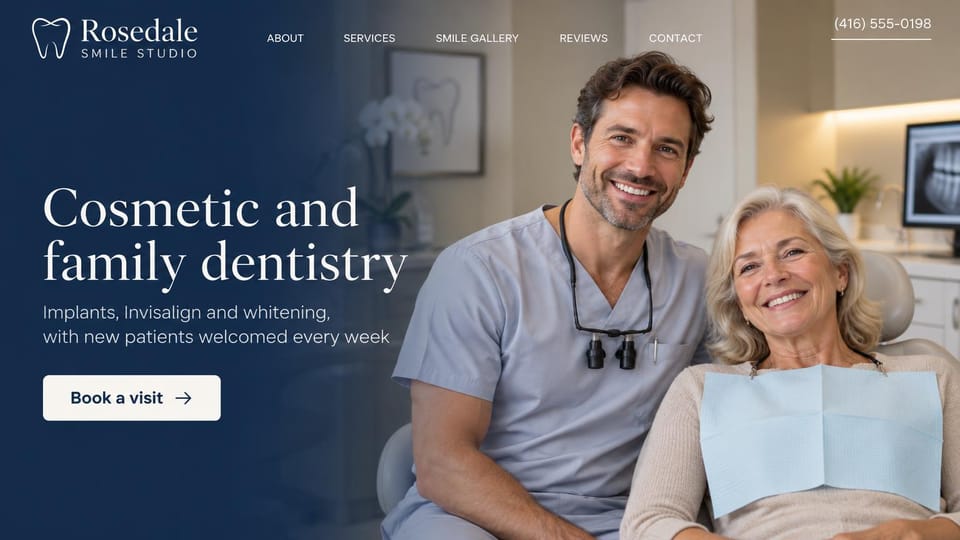
A dentist beside a smiling patient, with the main treatments named in one line under the headline.
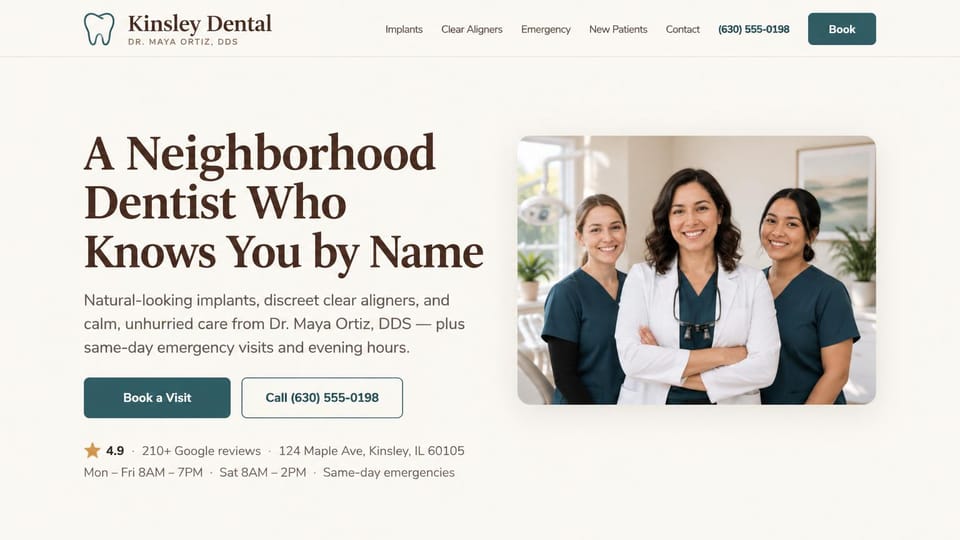
The dentist and her team in one photo, with hours, address and rating in a line under the buttons.
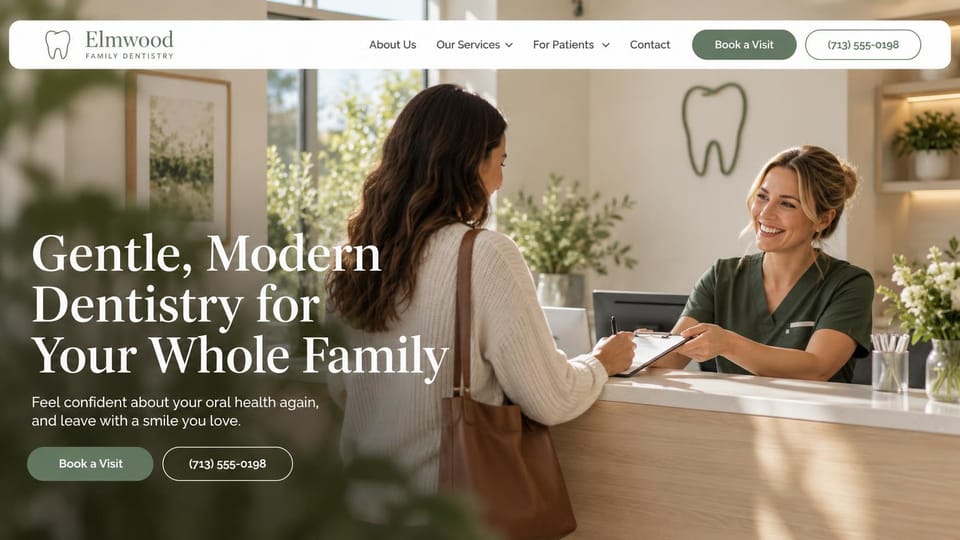
A patient checking in at reception shows the visit from the patient's side, before the chair.
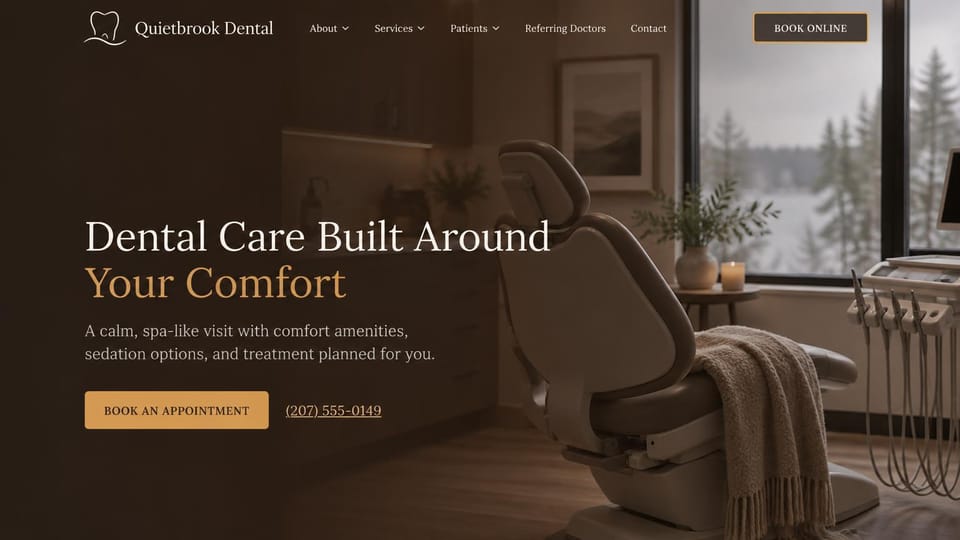
A quiet treatment room and a headline about comfort, for patients who put off the dentist.
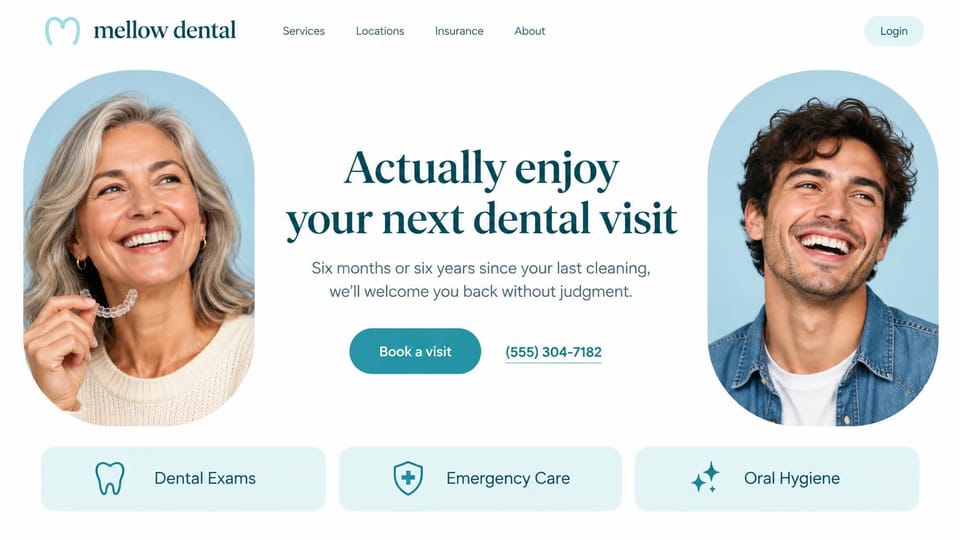
Tells patients who skipped years of cleanings they won't be judged, with three services as tiles.
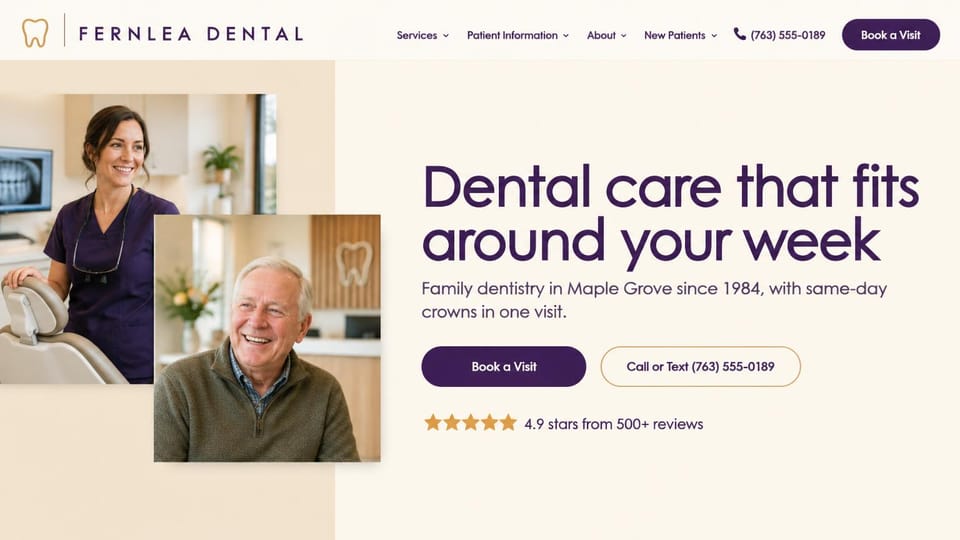
Two overlapping photos of a dentist and a patient, with ratings right under the call and book buttons.
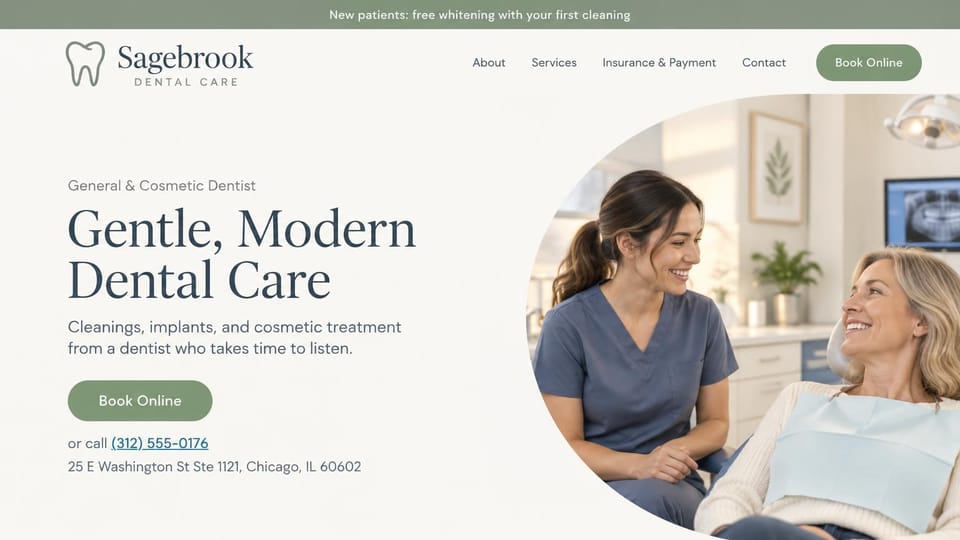
A dentist and patient in a round photo, with the address and phone right under the booking button.
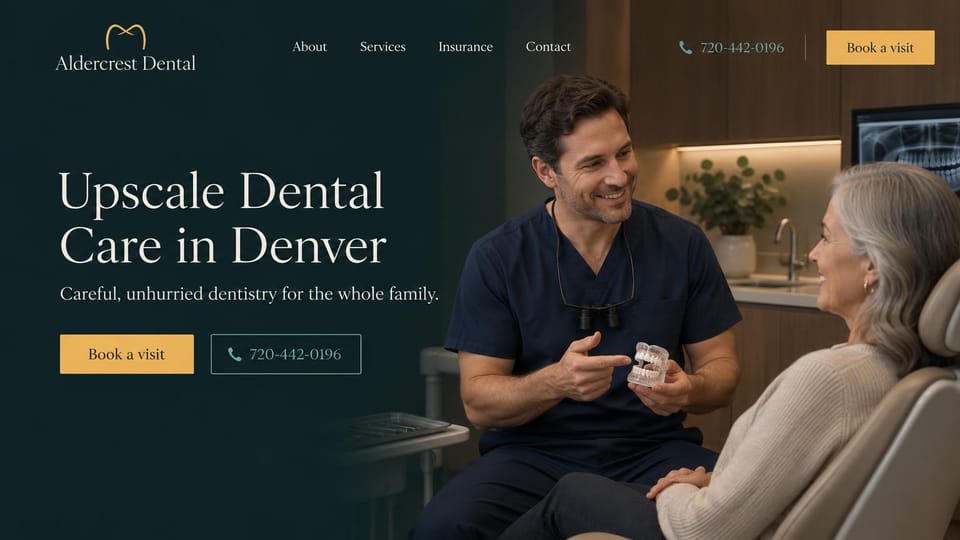
A dentist talking with a patient beside a short promise, with booking and the phone number side by side.
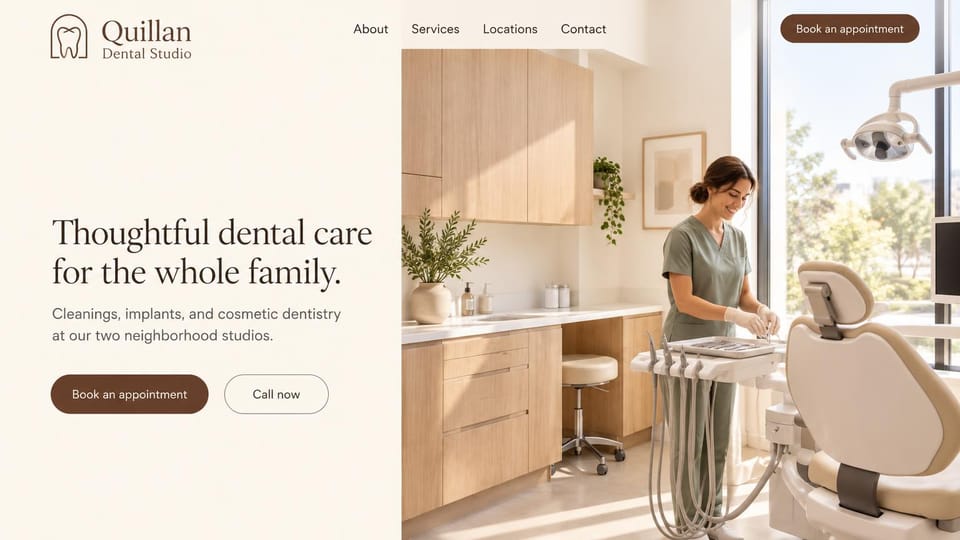
A sunlit treatment room and a calm headline, with book and call as two equal buttons.
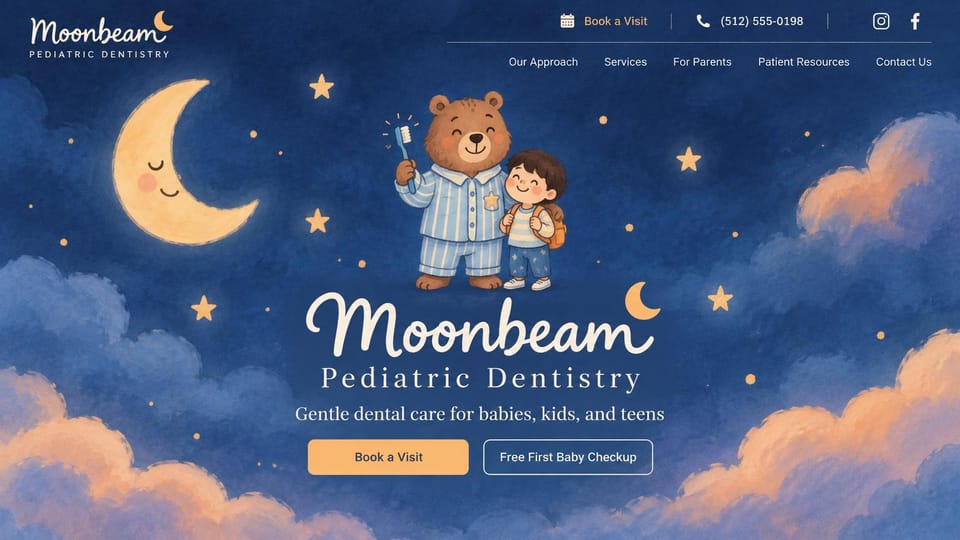
An illustrated night sky and a friendly bear make the first visit feel like a story, not a checkup.
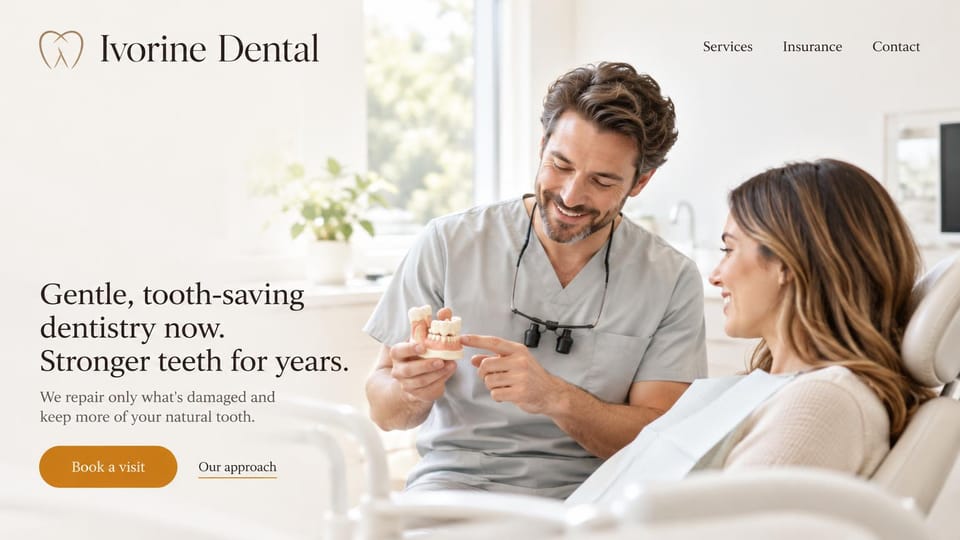
A dentist explaining a model to a patient, with a headline about keeping what's natural.
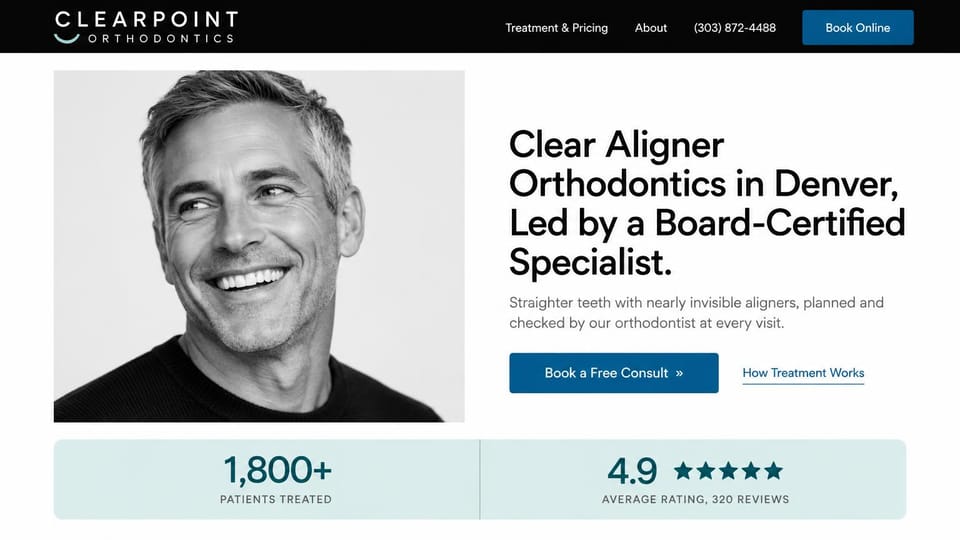
A black and white portrait, the specialist's credentials in the headline and two proof figures below.
Every design is an illustration by Cactal. The practices, people and photos in them are fictional. Updated October 2026.
Describe your practice
Who you treat, where you practice and how patients should reach you. Cactal writes the pages, sets up your contact form and publishes the site.
How it works
1Pick a design
Browse by kind of practice and open any design to see it full size.
2Add your practice's details
Your treatments, dentists, insurance, hours and how patients should book. Cactal writes every page and builds the site from your design.
3Publish
Ask for changes in plain words until it's right, then publish free on a Cactal domain, or on your own domain with Pro.
What a dental website needs
Call and book from every page
Someone with a toothache wants a phone number, and a new patient wants a book button. Keep both in the header, and link booking to the scheduling tool you already use.
Insurance, answered up front
List the plans you take, whether you're in network, and what patients without insurance can expect. Many people want this answered before they call.
A page for each treatment
Cleanings, crowns, implants, aligners and emergencies each deserve a plain page: what happens, how long it takes, how it feels. These are the pages people find when they search for one treatment.
The dentists and team, by name
Real photos, education and a few words about how each dentist works. Patients are choosing who they trust in the chair.
A kind word for nervous patients
Say what you do for people who are anxious or haven't been in years, such as comfort options or longer first visits. It can be what gets someone to book.
A contact form that asks for little
A name, a phone number and a good time to call are enough. Keep health details out of a general web form, and check your own privacy obligations, such as HIPAA, before you collect more.
Questions
Are these dental website templates free?
Every design here is free to start from. You can sign up, build and publish on a Cactal domain without a card and with no time limit. Putting your site on a domain you own is $25 a month on Pro.
Do I need to know how to code or design?
No. Describe your practice in plain words and Cactal builds, edits and publishes the site. When you want a change, ask for it the same way.
How much does a dental website cost?
A custom build from a dental marketing agency often runs into the thousands of dollars and takes weeks. A builder template costs less, but you still write and fill in every page. With Cactal it's free to build and publish on a Cactal address, and your own domain is $25 a month on Pro, with no setup fee.
Can I use my own domain?
Yes. Every site starts on a free Cactal address. Connect a domain you own on Pro for $25 a month, and each additional website on its own domain is $20 a month.
Who owns the website?
You do. Every Cactal site is real React source code, so you can take it and run it anywhere. There is no export to buy.
Are these real dental practices?
No. Each design is an illustration made by Cactal, and the practice names, people, numbers and photos in it are fictional. Your site is built around your own practice.
Can patients book appointments online?
Cactal doesn't run scheduling itself. Your site links to or embeds the scheduling tool your practice already uses, so the book button takes patients straight to it.
Can I list the insurance plans I accept?
Yes. Ask for an insurance page with the plans you take and what self-pay patients can expect, and Cactal writes and builds it. When your plans change, ask for the update the same way.
More website templates
- App landing page templates
- Artist website examples
- Author website examples
- Blog website examples and templates
- Cafe, coffee shop and bakery website designs
- Church website design templates
- Coaching and life coach website templates
- Contractor and construction website designs
- Creative and marketing agency website designs
- Fitness website templates for studios and gyms
- Hair salon, nail and spa website templates
- Hotel, B&B and vacation rental website templates
- Law firm, lawyer and attorney website templates
- Musician, band and DJ website templates
- Nonprofit and charity website templates
- Personal website examples and resume website templates
- Photography website templates
- Podcast website examples
- Portfolio website examples and templates
- Realtor website designs and real estate website templates
- Restaurant website templates and designs
- SaaS landing page and website templates
- Therapist website templates and designs
- Wedding website templates

Your dental website, built for you.
Pick a design or just describe your practice. Free to start, no card needed.
Start building